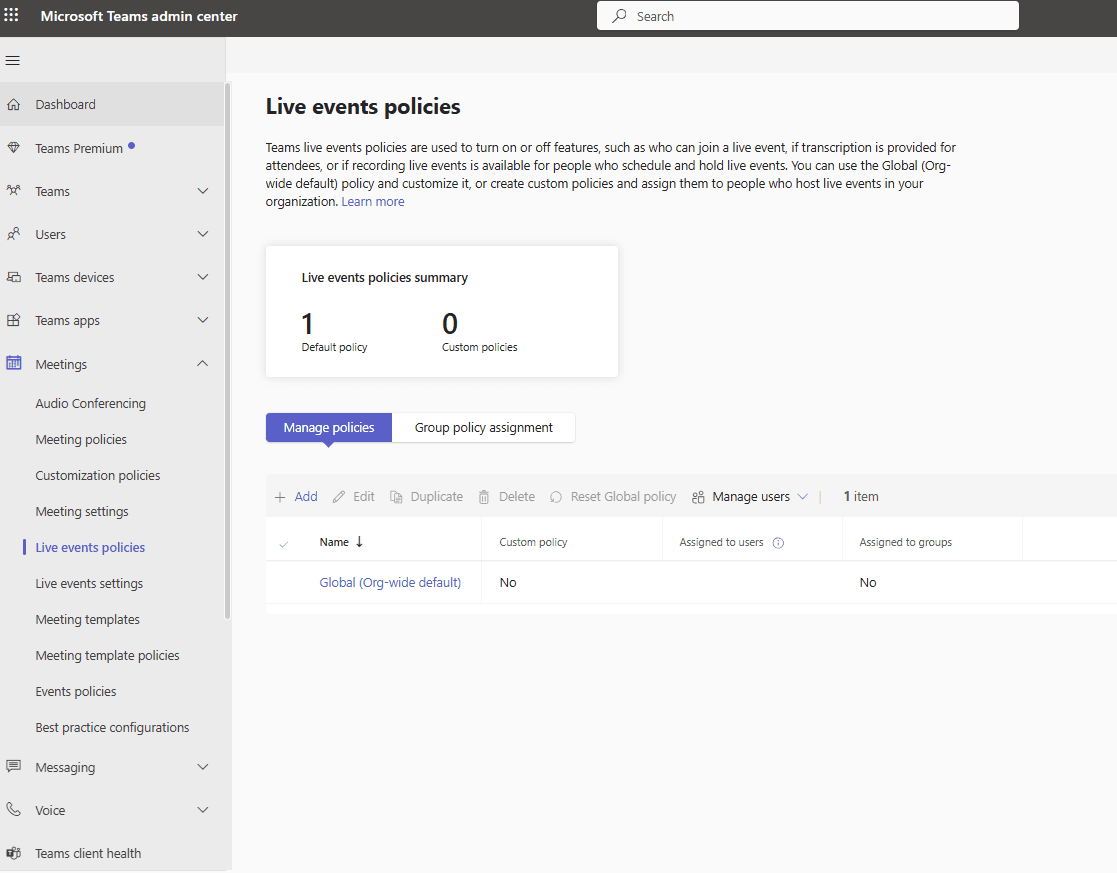
This article talks about Live events policies Live events policies in Teams admin center
Live events
Microsoft Teams Live-Events were a way to broadcast to large audiences but have been retired (as of late 2024), replaced by Teams Town Halls for large-scale broadcasts.
Standard Teams Meetings for smaller, interactive events, both offering similar features like Q&A, screen sharing, and recording, with Town Halls providing enhanced features like larger capacity (100k) and extended duration for premium users.
You schedule them through your Teams Calendar, manage permissions for presenters and attendees, and choose production methods (in-Teams or external encoder) for broadcast.
Lets create it step by step:
Login to Teams admin center: https://admin.teams.microsoft.com/
Navigate to meetings –> Live events policies
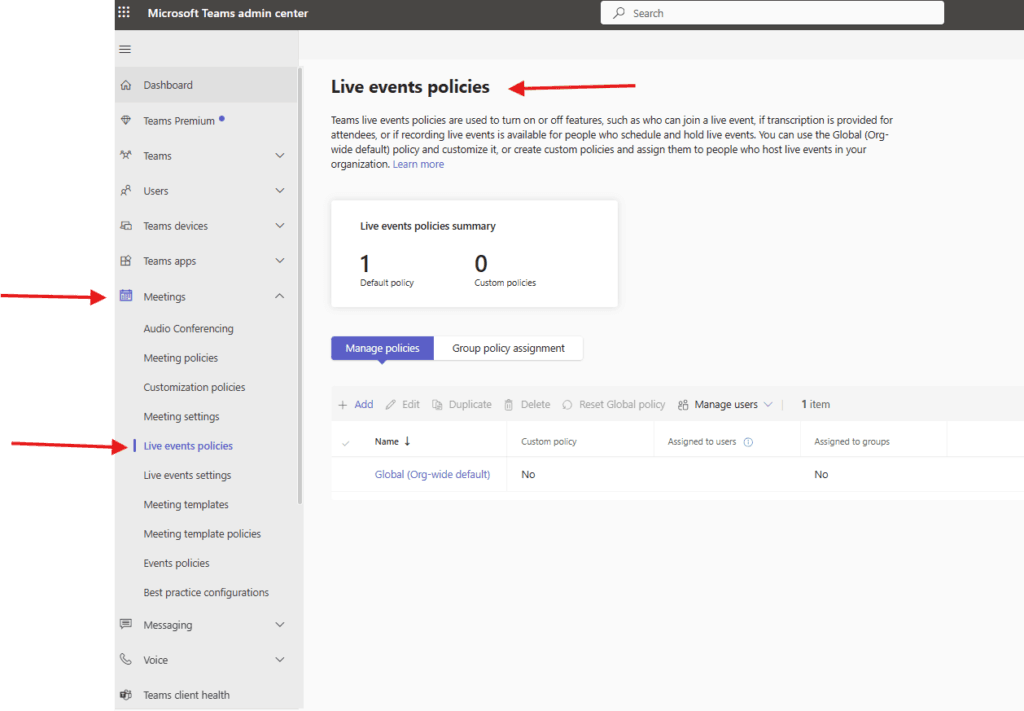
Teams live-events policies are used to turn on or off features, such as who can join a live-event, if transcription is provided for attendees, or if recording live-events is available for people who schedule and hold live-events.
You can use the Global (Org-wide default) policy and customize it, or create custom policies and assign them to people who host live events in your organization
Click on add to create a new policy
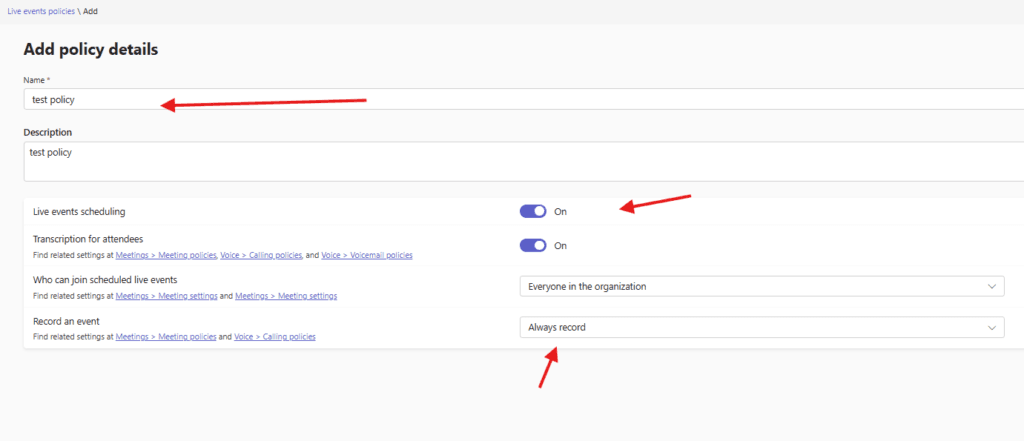
you can set Live-events scheduling and Transcription for attendees either on or off
also Who can join scheduled live events and Record an event
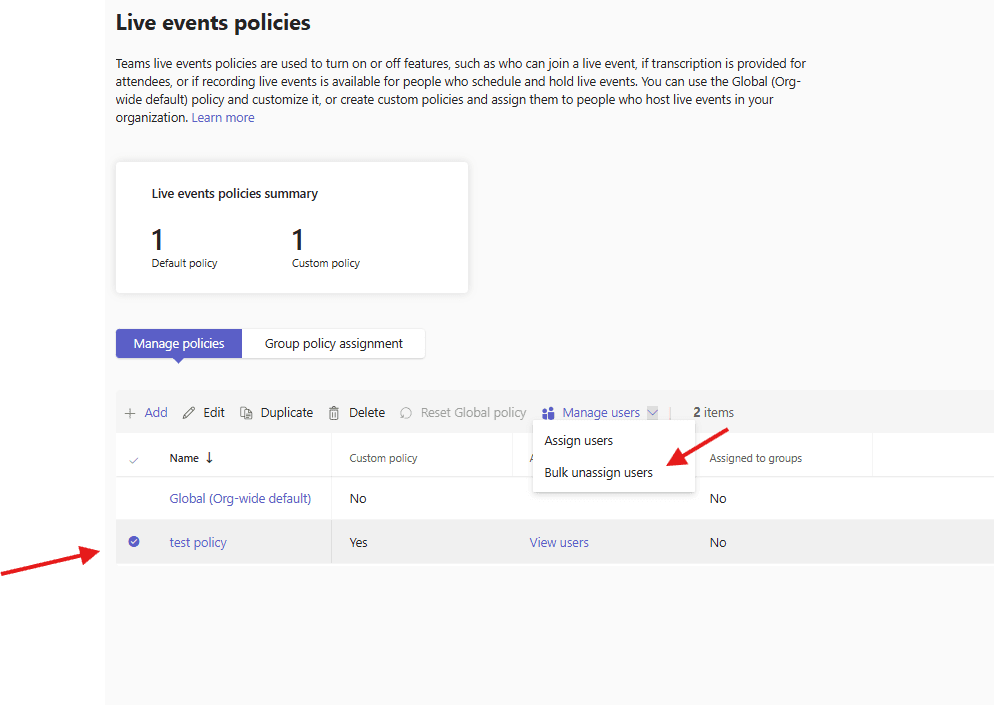
then click on created policy and assign it to users
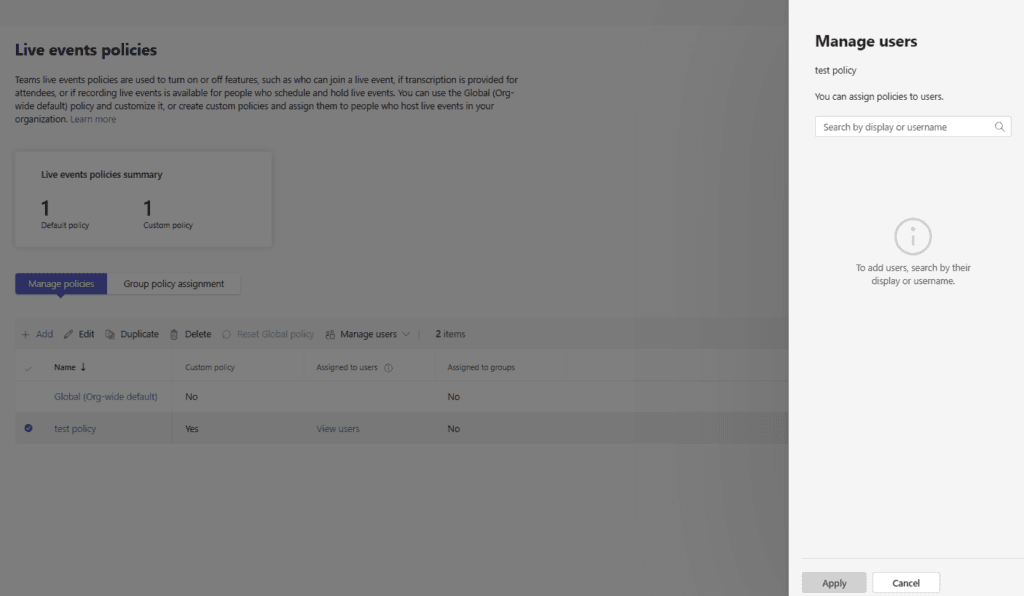
We are done here
PowerShell script – to create teams live event policy
# ===============================
# Create Teams Live Event Policy
# ===============================

# Policy Name
$PolicyName = "LiveEvent-RestrictedPolicy"

# Create the Live Event Policy
New-CsTeamsMeetingBroadcastPolicy `
    -Identity $PolicyName `
    -AllowBroadcastScheduling $true `
    -AllowBroadcastTranscription $true `
    -BroadcastAttendeeVisibilityMode Everyone `
    -BroadcastRecordingMode Always `
    -AllowAnonymousBroadcast $true

Write-Host "Live Event Policy '$PolicyName' created successfully." -ForegroundColor Green
Also Live-events settings can be managed from here
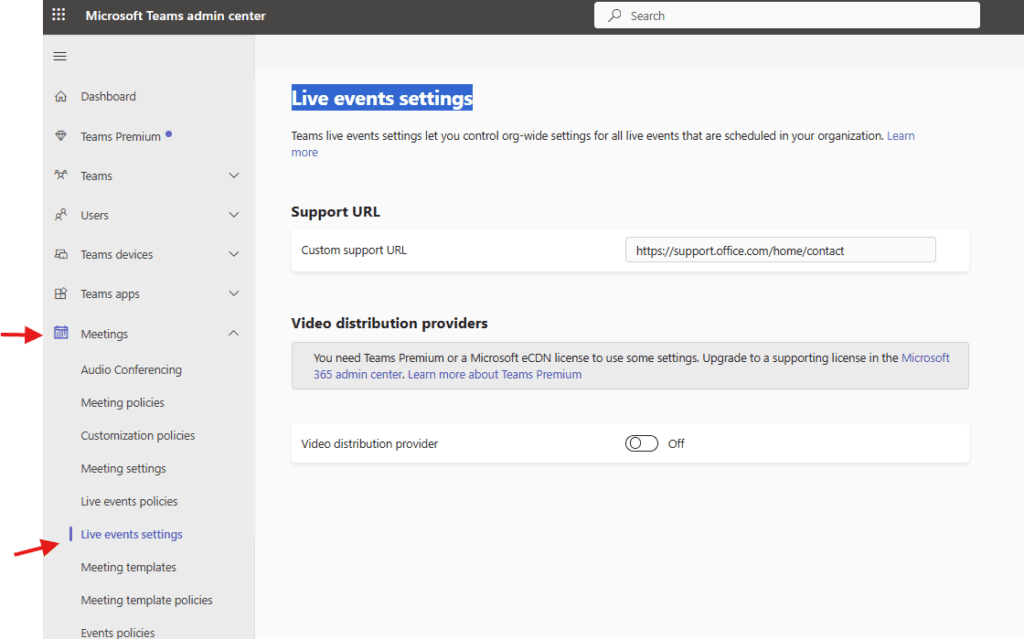
Teams live-events settings let you control org-wide settings for all live events that are scheduled in your organization
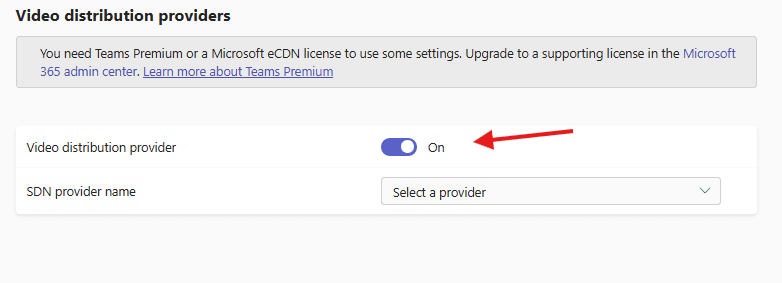
You can add Video distribution provider if you have any : You need Teams Premium or a Microsoft eCDN license to use some settings
Conclusion
Post reading above article reader will be able to create and assign Live events policies in Teams admin center
also you can read https://microbrother.com/meeting-settings-in-teams-admin-center/ this article to manage meeting settings in ms teams
Thank you 😇