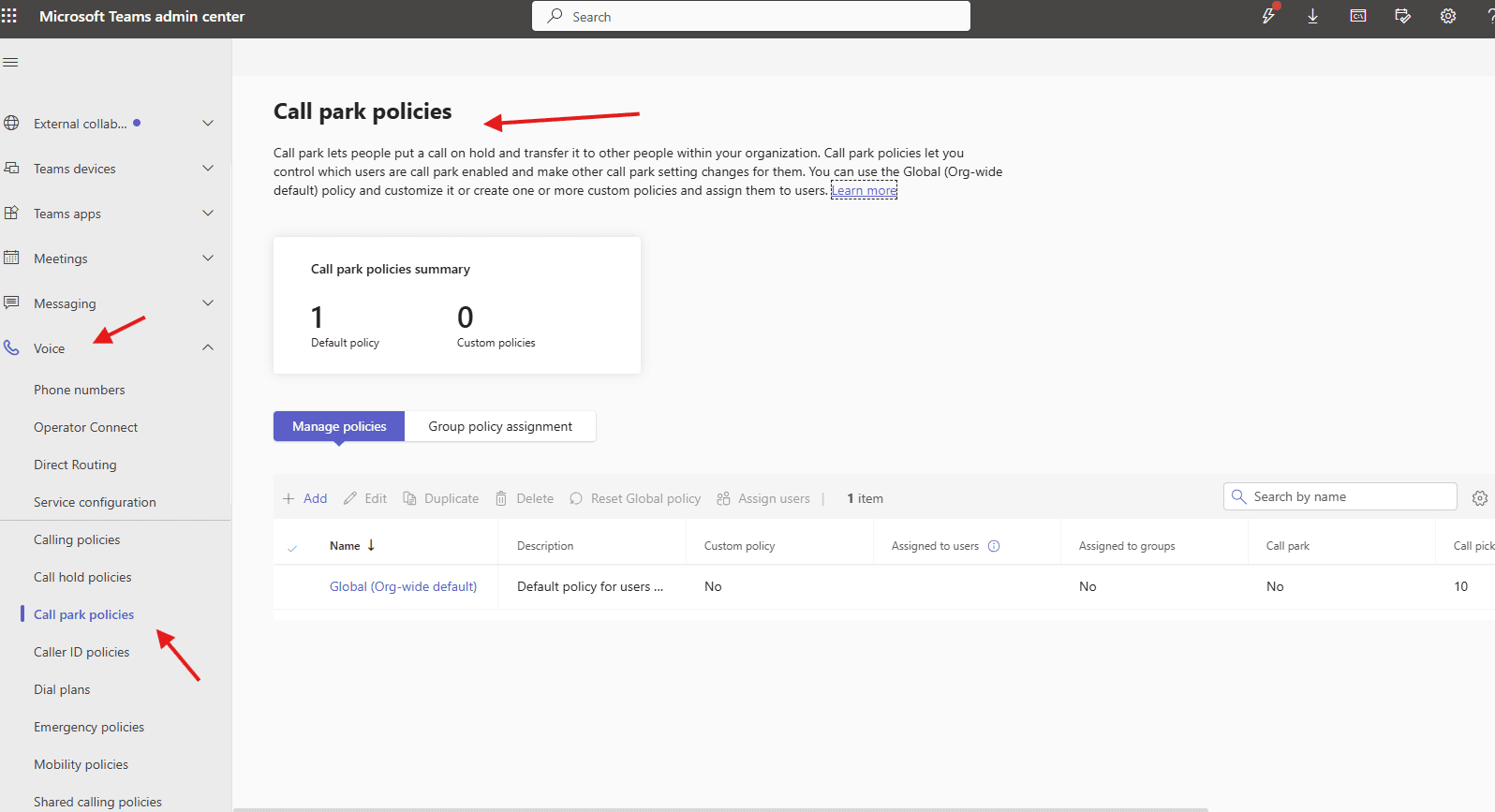
This article talks about Call park policies in Microsoft Teams
Call park policies
It lets people put a call on hold and transfer it to other people within your organization. Call park policies let you control which users are call park enabled and make other call park setting changes for them
Lets set it up step by step
Login to Teams admin center : https://admin.teams.microsoft.com/
Navigate to Voice –> call-park policies
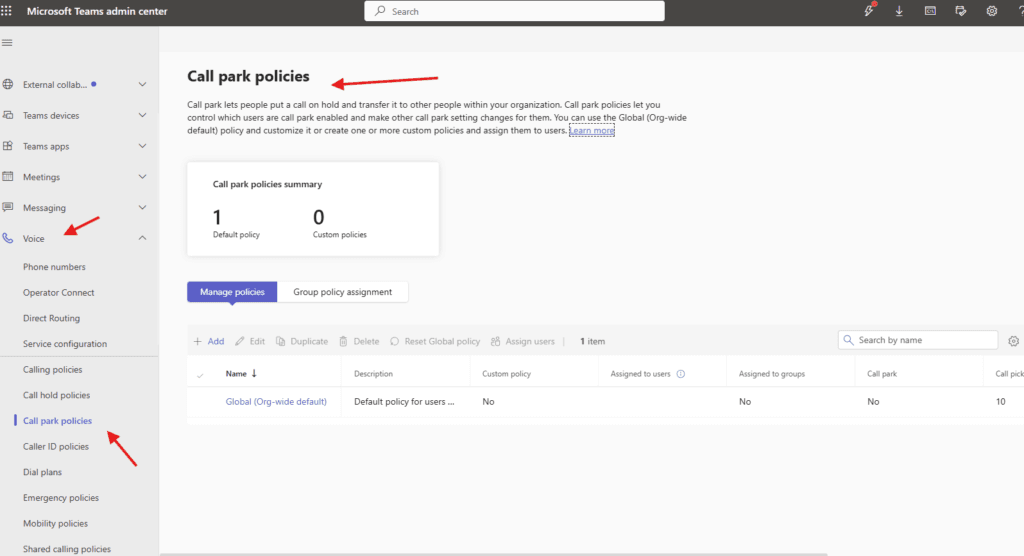
Lets add one
You can use the Global (Org-wide default) policy and customize it or create one or more custom policies and assign them to users
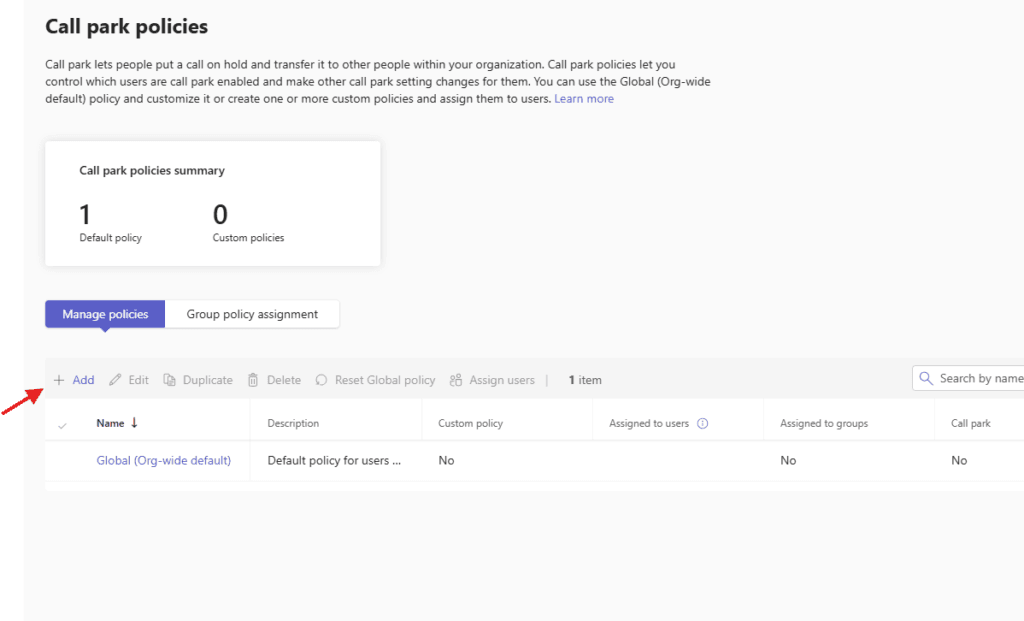
lets enable it and fill in required details
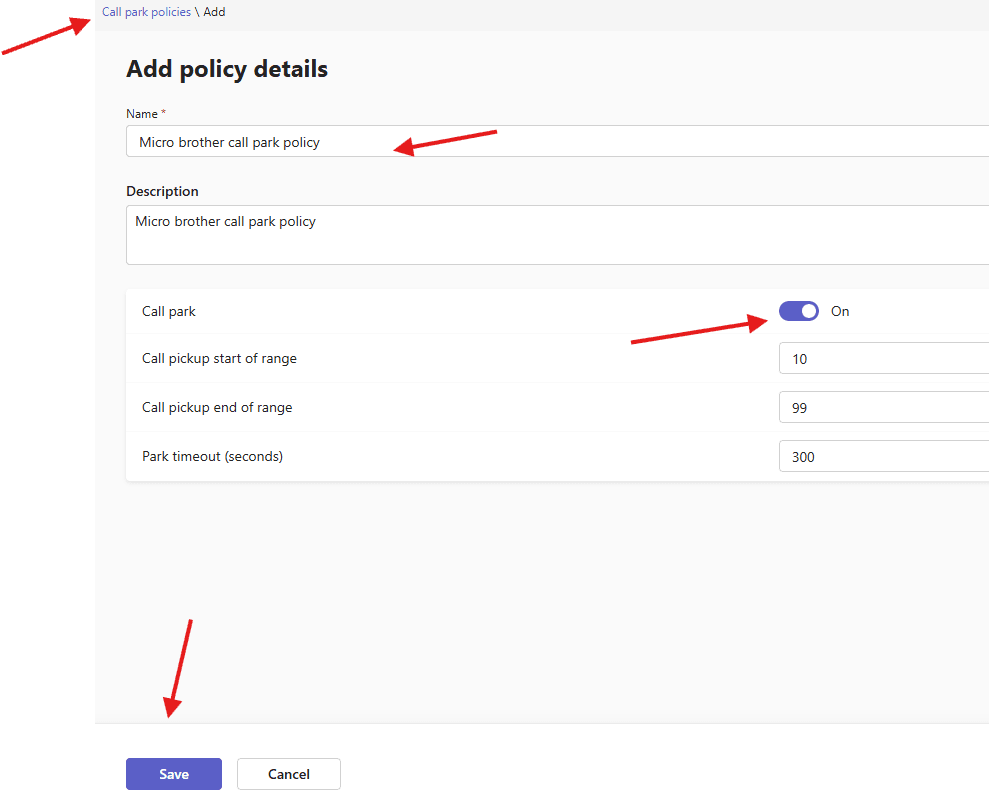
save it
assign it to the set of the required users
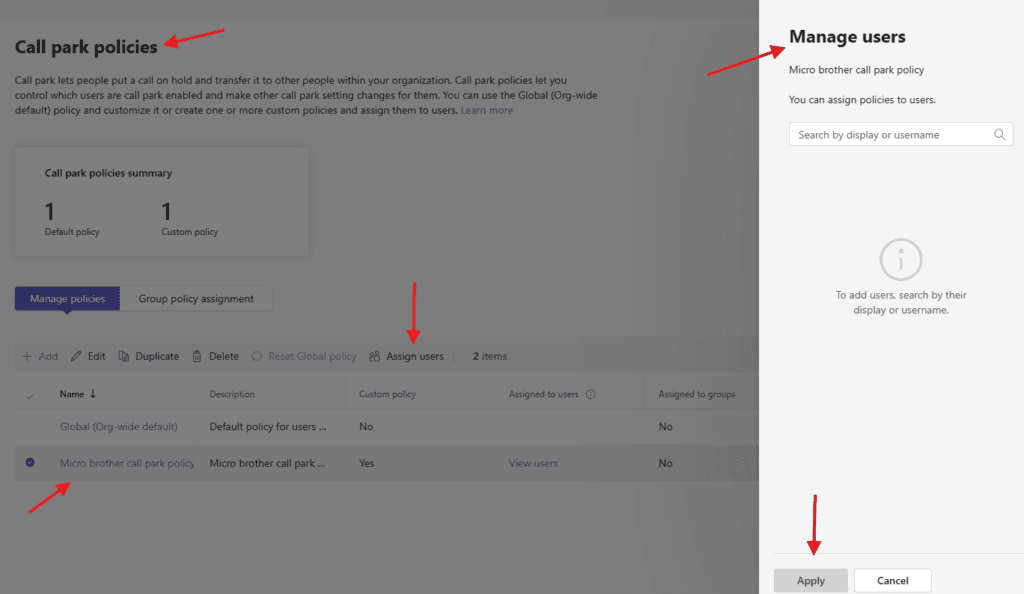
PowerShell script for above manual task
# Define policy variables
$PolicyName = "Microbrother_CallParkPolicy"
$CallParkRangeStart = 1000
$CallParkRangeEnd = 1099
$CallParkTimeout = 300

# Create Call Park Policy
New-CsTeamsCallParkPolicy `
-Identity $PolicyName `
-CallParkEnabled $true `
-CallParkTimeout $CallParkTimeout `
-CallParkRangeStart $CallParkRangeStart `
-CallParkRangeEnd $CallParkRangeEnd
We are done here.
Conclusion:
Post reading above article user will be able to create and manage call park policies in MS Teams
You can also read https://microbrother.com/call-hold-policies-in-microsoft-teams/ this article to create and manage call hold policies
Thank you 😇