This article talks about calling policies in Microsoft Teams
Calling policies
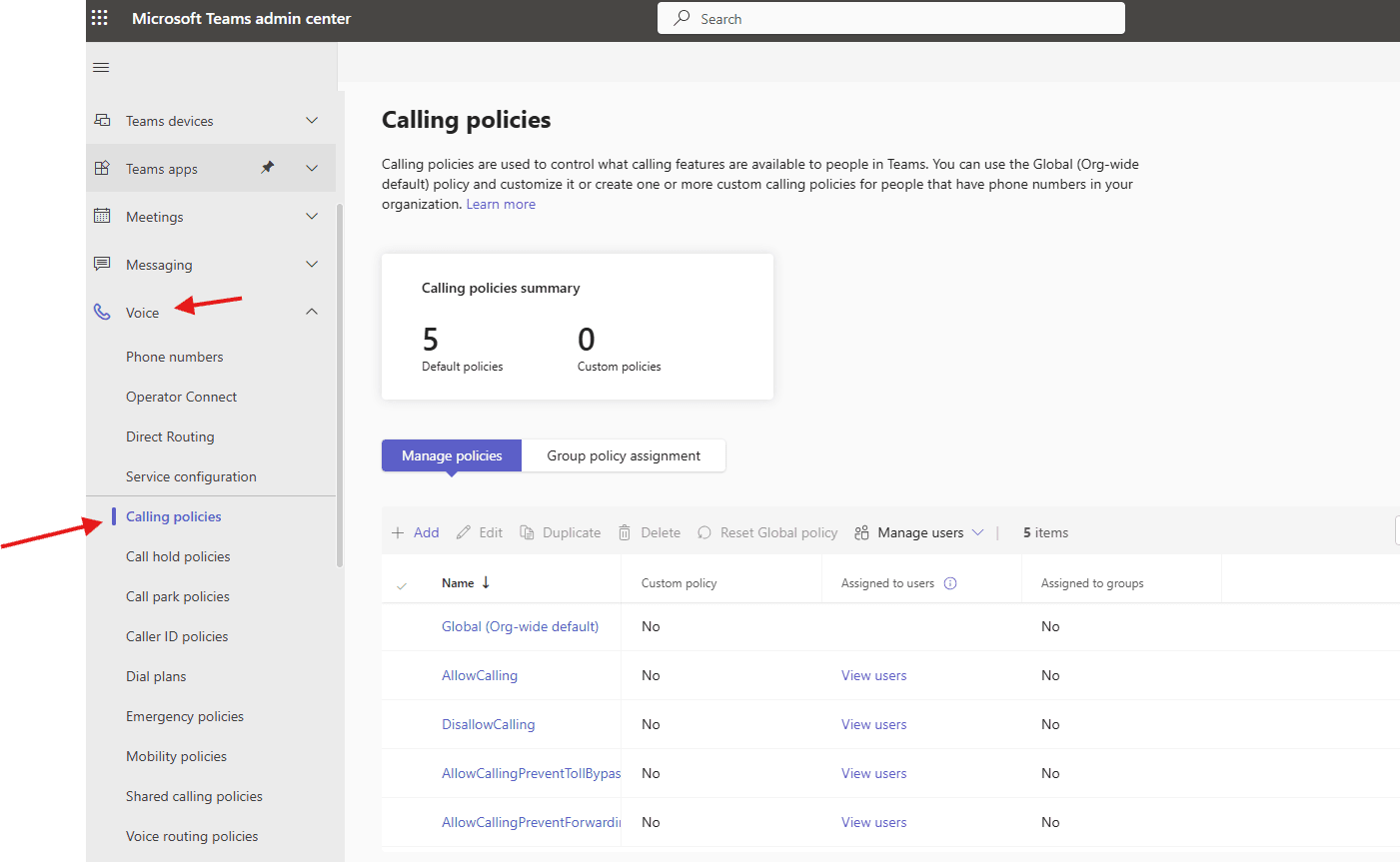
Calling policies are used to control what calling features are available to people in Teams. You can use the Global (Org-wide default) policy and customize it or create one or more custom calling policies for people that have phone numbers in your organization
Lets create Calling policies step by step:
Login to Teams admin center : https://admin.teams.microsoft.com/
Navigate to voice –> calling policies
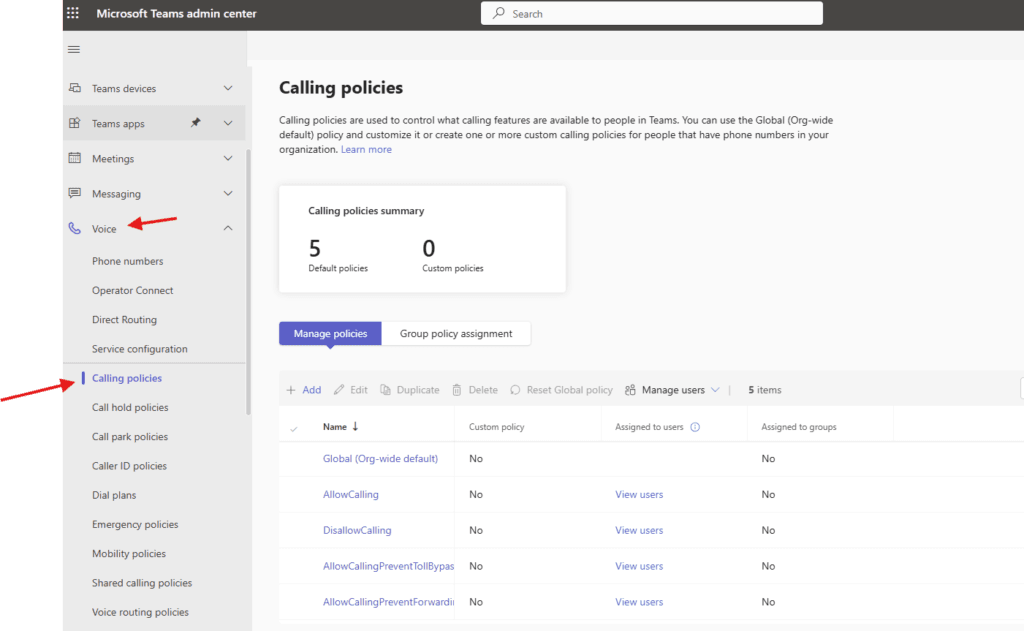
Now click on add
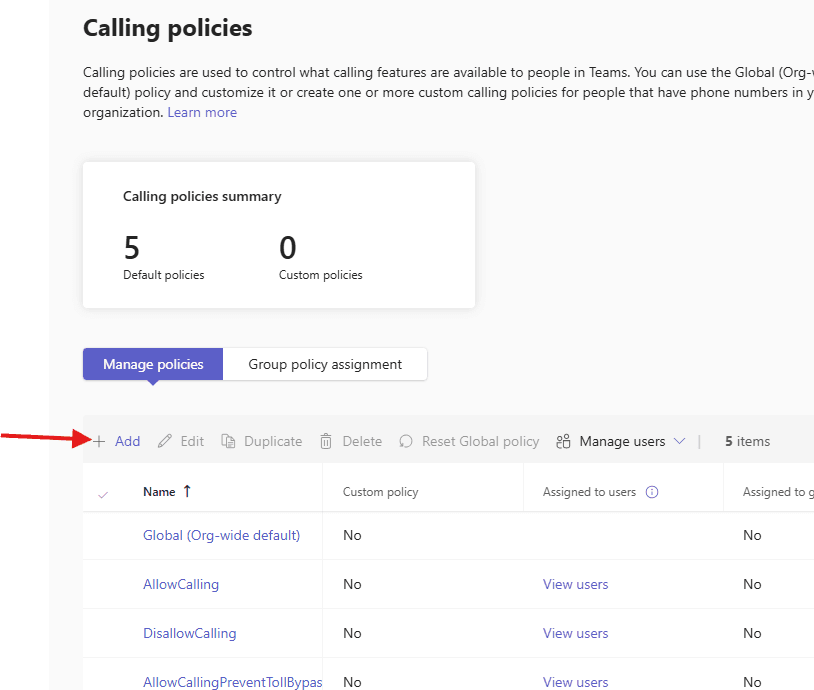
give a suitable title and select attributes as per business requirement
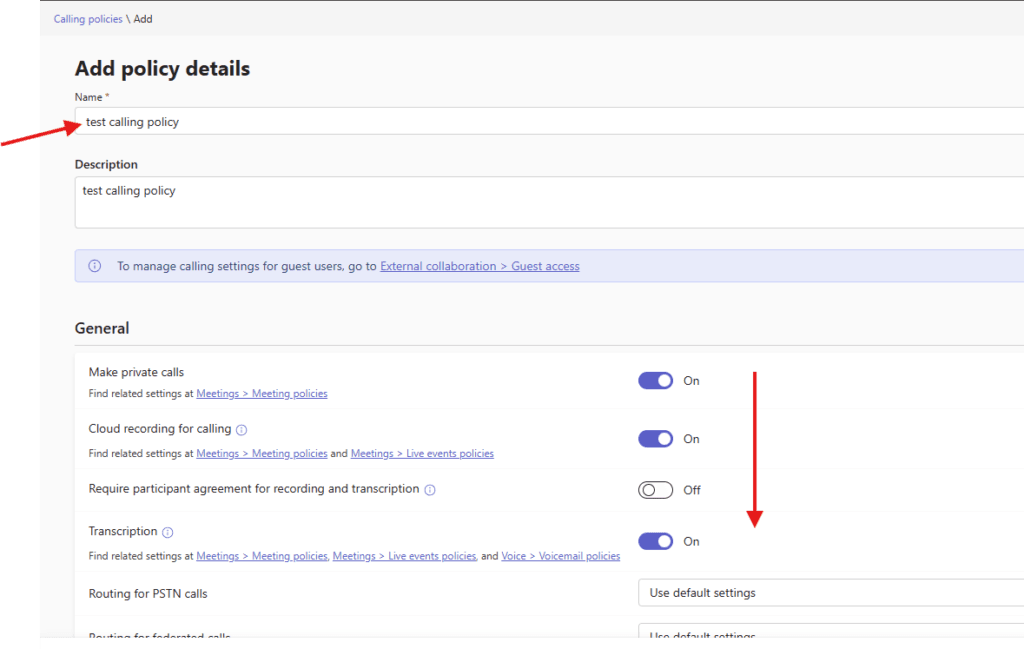
Here are few imp attributes –>
Cloud recording for calling: This setting controls whether recording is available for users,
Transcription:
This setting controls whether transcription is available for users, Routing for PSTN calls,
Routing for federated calls, Voicemail for inbound calls, Prevent toll bypass and send calls through the PSTN, SIP devices can be used for calls, Copilot etc
Busy on busy during calls: When you set this to ‘Unanswered’, the user’s Teams app settings will be used. This applies to call answering rules and voicemail routing,
Real-time-text (RTT): This setting allows users to use RTT during calls, enabling them to communicate by typing their messages in real time.
PSTN Spend limit: Spend limits help in managing overall consumption by setting limits on a user’s PSTN usage.
iOS mobile device call log: Set up how you want to handle Teams calls and meetings in users’ mobile device call log on iOS.
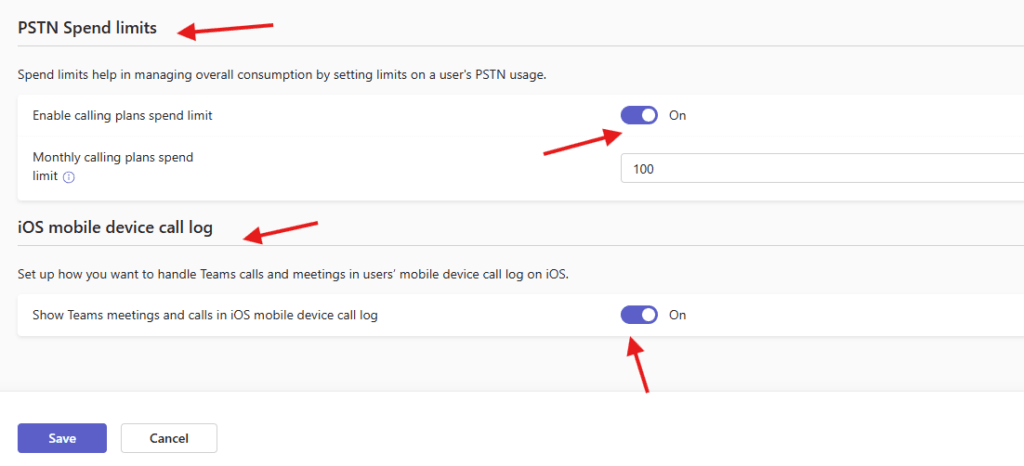
finally save it
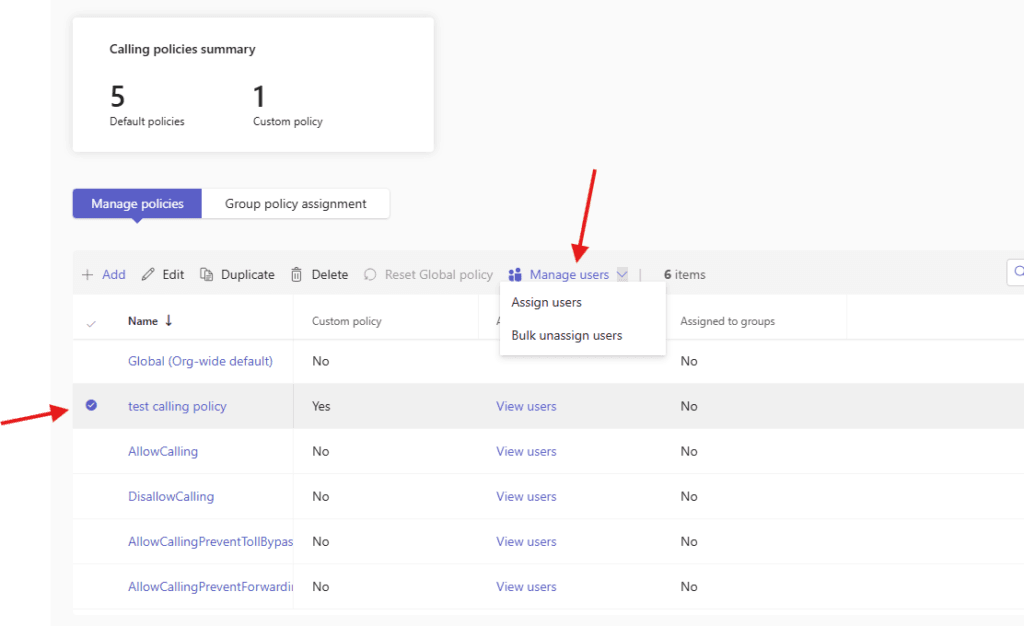
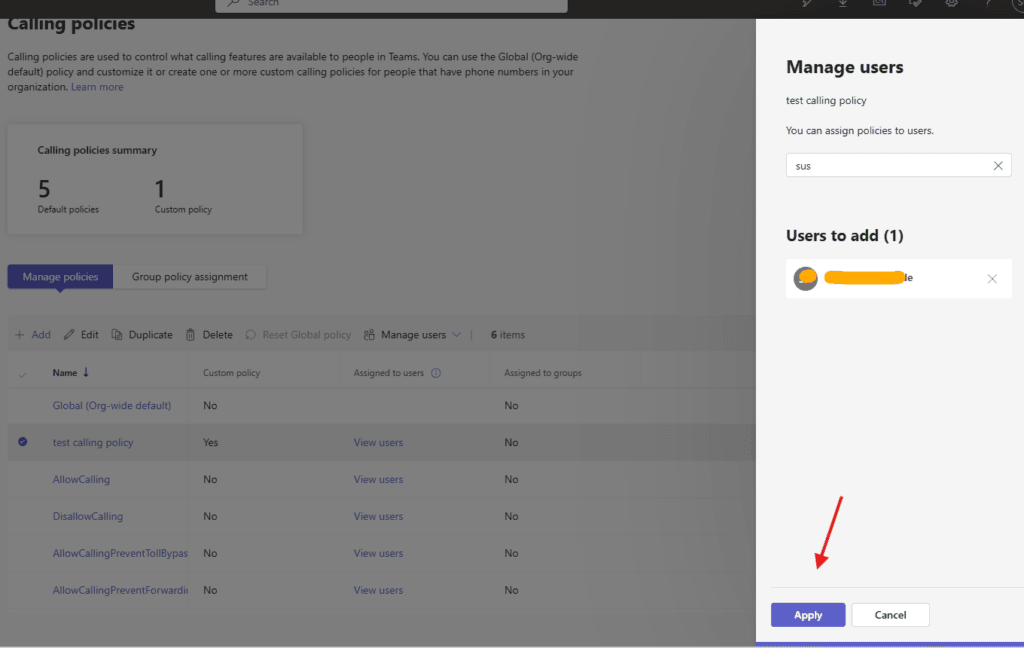
Assign it to the users
Naver make any changes to Global policy
Always create new one
PowerShell Script – Create & Assign Calling Policy
# ================================
# Connect to Microsoft Teams
# ================================
Import-Module MicrosoftTeams
Connect-MicrosoftTeams

# ================================
# Variables
# ================================
$PolicyName = "Custom-Calling-Policy"
$Description = "Custom calling policy created via PowerShell"
$UserUPN = "user@microbrother.com"   # Change to target user

# ================================
# Create Calling Policy
# ================================
New-CsTeamsCallingPolicy `
    -Identity $PolicyName `
    -Description $Description `
    -AllowPrivateCalling $true `
    -AllowCallForwardingToUser $true `
    -AllowCallForwardingToPhone $true `
    -AllowVoicemail $true `
    -AllowCallGroups $true `
    -AllowDelegation $true `
    -AllowCloudRecordingForCalls $true `
    -BusyOnBusyEnabledType Enabled

Write-Host "Calling Policy Created Successfully" -ForegroundColor Green

# ================================
# Assign Policy to User
# ================================
Grant-CsTeamsCallingPolicy `
    -Identity $UserUPN `
    -PolicyName $PolicyName

Write-Host "Calling Policy Assigned Successfully to $UserUPN" -ForegroundColor Green

# ================================
# Verify Assignment
# ================================
Get-CsOnlineUser -Identity $UserUPN | Select DisplayName, TeamsCallingPolicy
Conclusion:
Post reading above article user will be able to create and assign calling policies in Microsoft Teams
Also you can read this article https://microbrother.com/direct-routing-in-microsoft-teams/ to create direct route in MS TEAMS
Thank you 😇