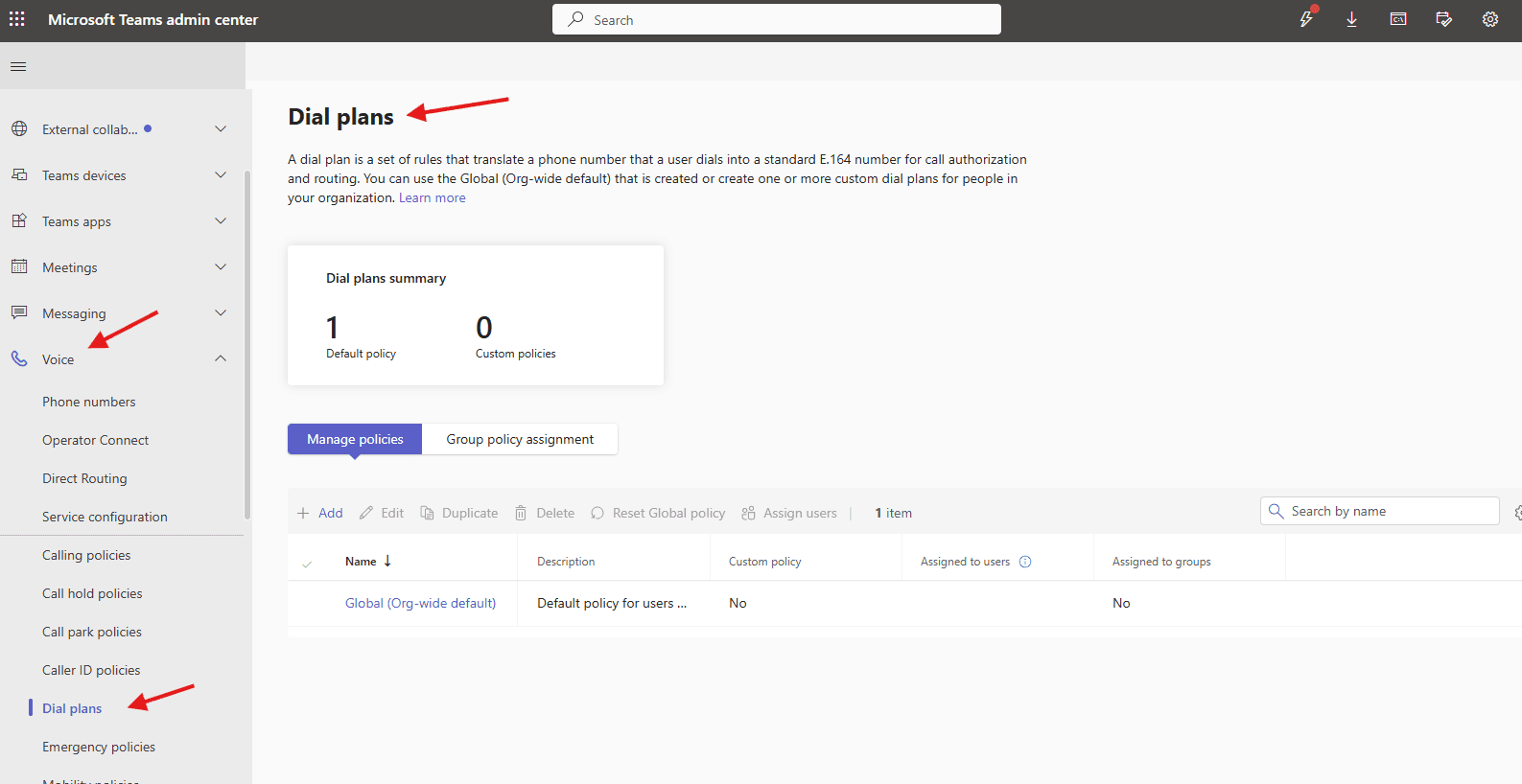
This article talks about Dial plans in Microsoft Teams
Dial plans
A dial plan is a set of rules that translate a phone number that a user dials into a standard E.164 number for call authorization and routing.
E.164 is an international ITU-T standard for telephone numbering, defining a consistent, 15-digit maximum format that ensures every device on the Public Switched Telephone Network (PSTN) has a unique, globally recognized number. It facilitates accurate call and message routing worldwide, usually formatted as + [country code] [subscriber number]
Lets create dial plan step by step:
Open Teams admin center : https://admin.teams.microsoft.com/
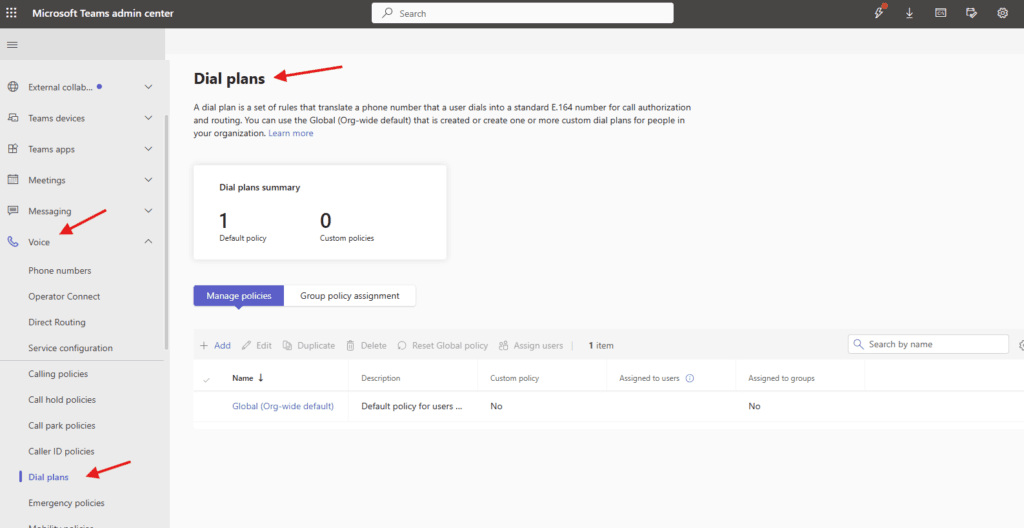
Navigate to TAC–> voice –> Dial plans
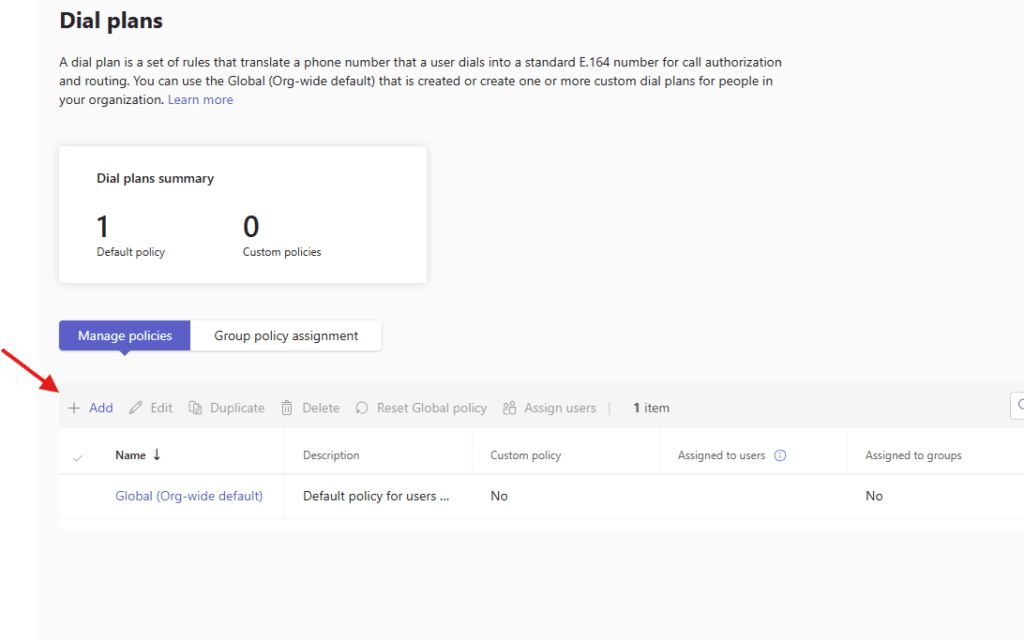
Lets add one : You can use the Global (Org-wide default) that is created or create one or more custom dial plans for people in your organization
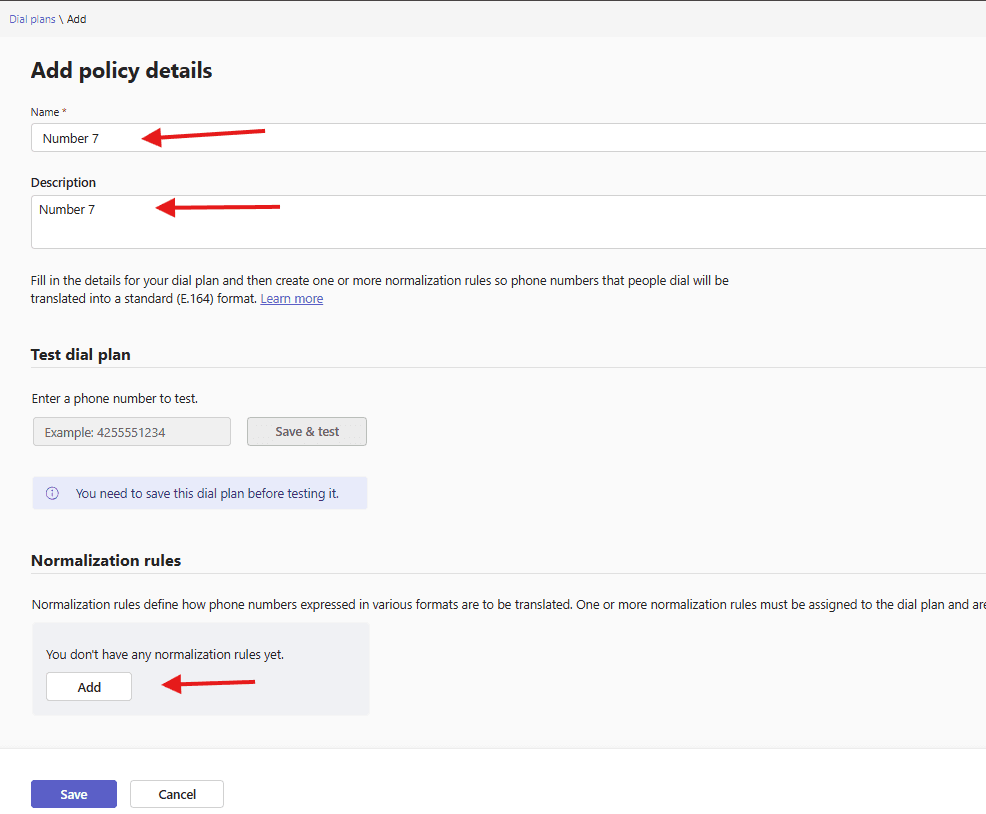
Give a suitable name to dial plan –> click on add to add normalization rule
add a new rule -> the number dial begins with –> Remove this many digits from the start of the number–> Add this number to the beginning–> finally test it
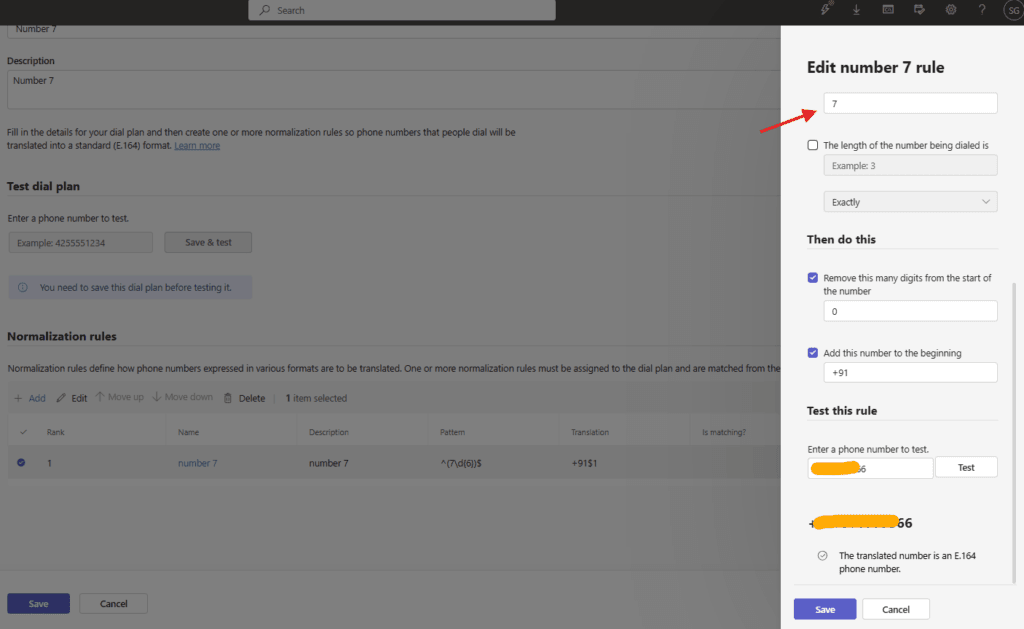
I have create a rule if someone dials a number starting with 7 digit it will be converted into +91XXXX number
you can as much as normalization as you want
same way user can create rule for internal and international dialed numbers
Microsoft Teams limits normalization rules to a maximum of 50 rules per dial plan. Additionally, there is a maximum limit of 1,000 tenant dial plans allowed per organization
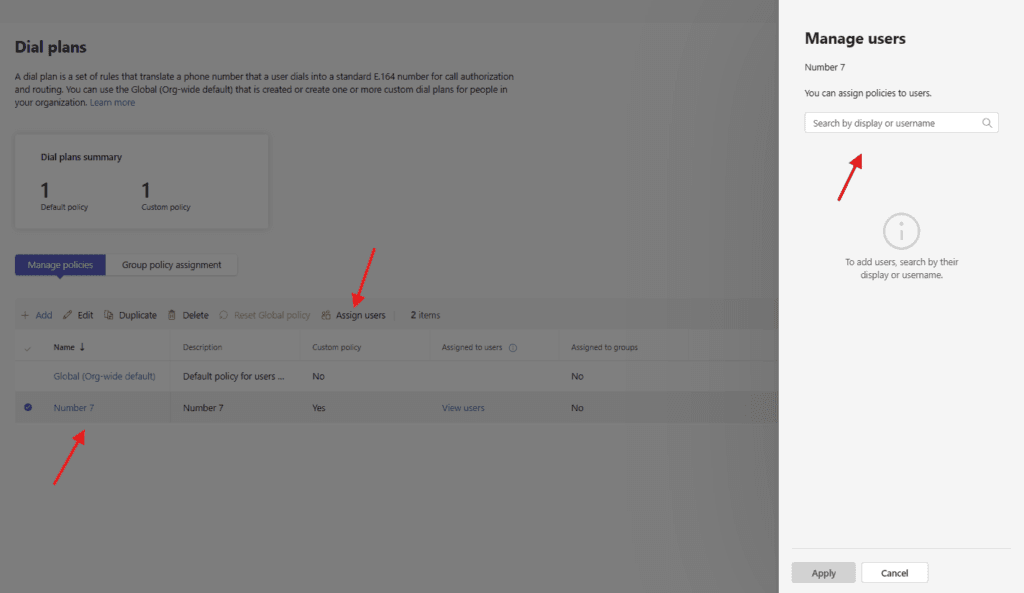
you can assign created dial plan to the set of users as per business requirement
PowerShell script for above manual task
# Dial Plan Name
$DialPlanName = "Microbrother-India-DialPlan"

# Create Tenant Dial Plan
New-CsTenantDialPlan `
-Identity $DialPlanName `
-Description "Dial Plan for India users"

#Local 10-digit numbers
New-CsVoiceNormalizationRule `
-Parent "Microbrother-India-DialPlan" `
-Name "India-10Digit" `
-Pattern '^([6-9]\d{9})$' `
-Translation '+91$1' `
-Description "Normalize 10 digit mobile numbers"

#International Numbers
New-CsVoiceNormalizationRule `
-Parent "Microbrother-India-DialPlan" `
-Name "International" `
-Pattern '^00(\d+)$' `
-Translation '+$1' `
-Description "International dialing"

#Internal Extensions (4-digit)
New-CsVoiceNormalizationRule `
-Parent "Microbrother-India-DialPlan" `
-Name "Extension-4Digit" `
-Pattern '^(\d{4})$' `
-Translation '+91201234$1' `
-Description "Convert 4 digit extensions"
We are done here
Conclusion:
Post reading above article reader will be able to create and manage Dial plans in Microsoft Teams
Also you can read this article https://microbrother.com/caller-id-policies-in-microsoft-teams/ to manage caller id policies
Thank you 😇