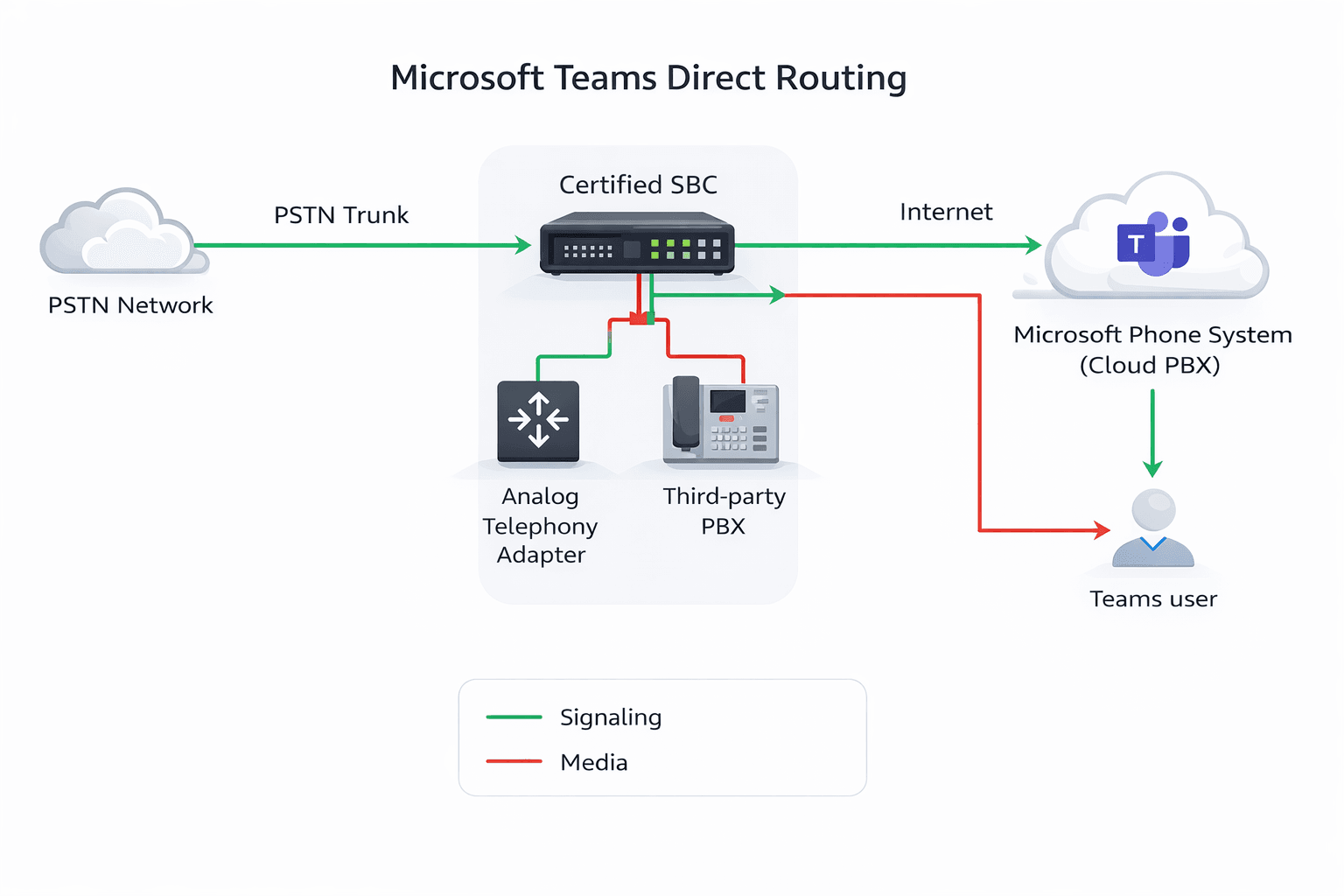
This article talks about Media bypass with Direct Routing in MS Teams
Media bypass
It enables you to shorten the path of media traffic and reduce the number of hops in transit for better performance. Lets see all 5 scenario’s one by one how signal and media establishes in MS TEAMS
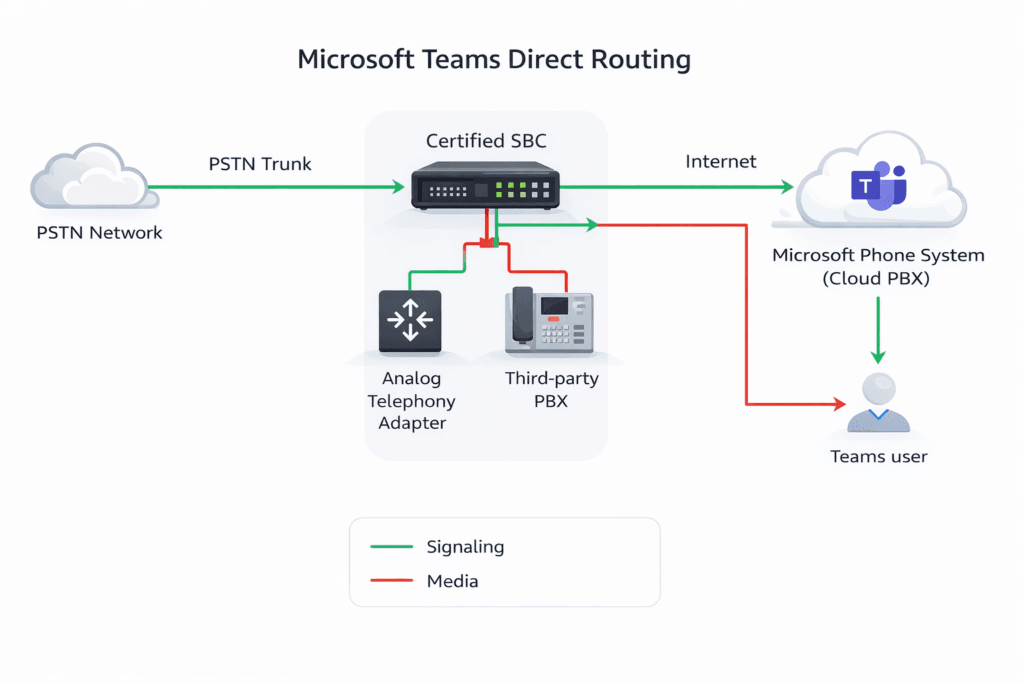
first signaling will take place:
Irrespective of user’s location ( corp network or internet user) first signal will go to Call controller aka CC then SIP Proxy aka SP will exchange signaling with SBC and finally SBC exchanges signal with PSTN next hop aka carrier
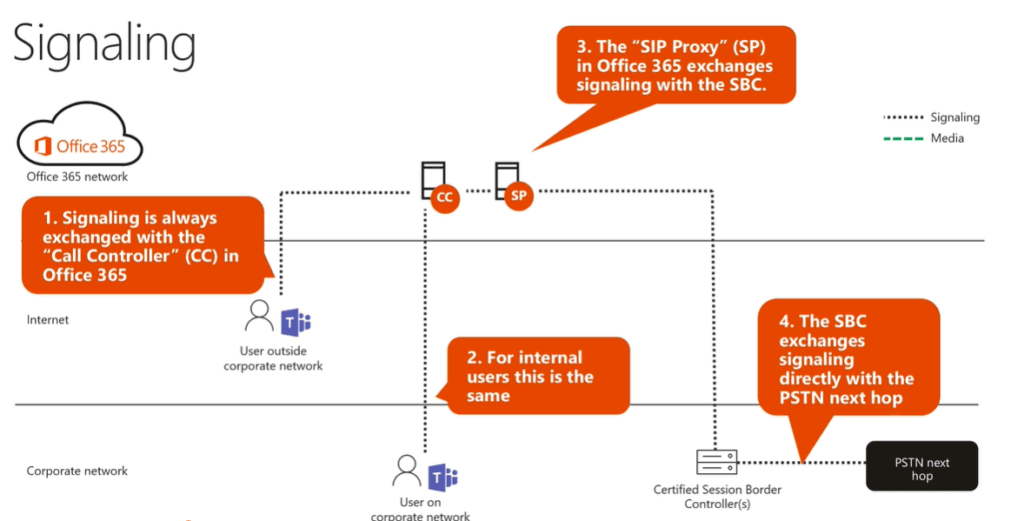
once signal is established then only media will flow
When Media-bypass in not enabled:
Post establishing signal user ( both corp network and internet) will send Media to Media processor aka MP which is in the M365 network, MP‘s are placed in the data center to convert codecs , traffic between MP will flow again via M365 network and send it to SBC and SBC will send it to next HOP carrier.
In this scenario we have M365 added as a extra HOP
Internal Media bypass:
In the internal media bypass scenario internal user aka corp network user will send media ( post establishing signal) directly to the Public IP address of the SBC, networking team has to allow hair pin on our network and firewall ( if the hair pin is blocked traffic will flow via Transport relay aka TR in M365 network )
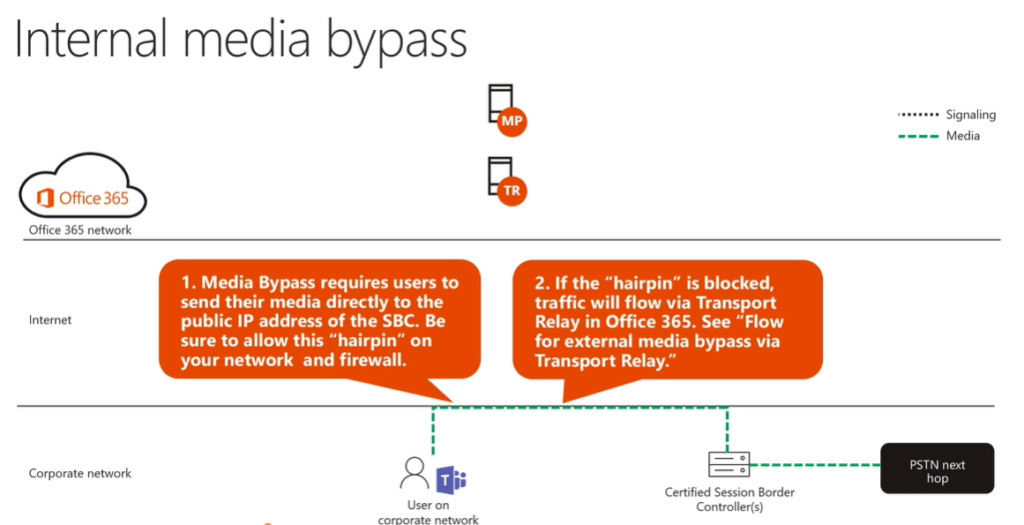
In this scenario we do not have M365 added as a extra HOP
External media bypass :
In the external media bypass scenario external user aka internet user will send media ( post establishing signal) directly flow over the public internet and not leverage the M365 network, the firewall needs to allow incoming traffic to the media ports on the SBC from any IP
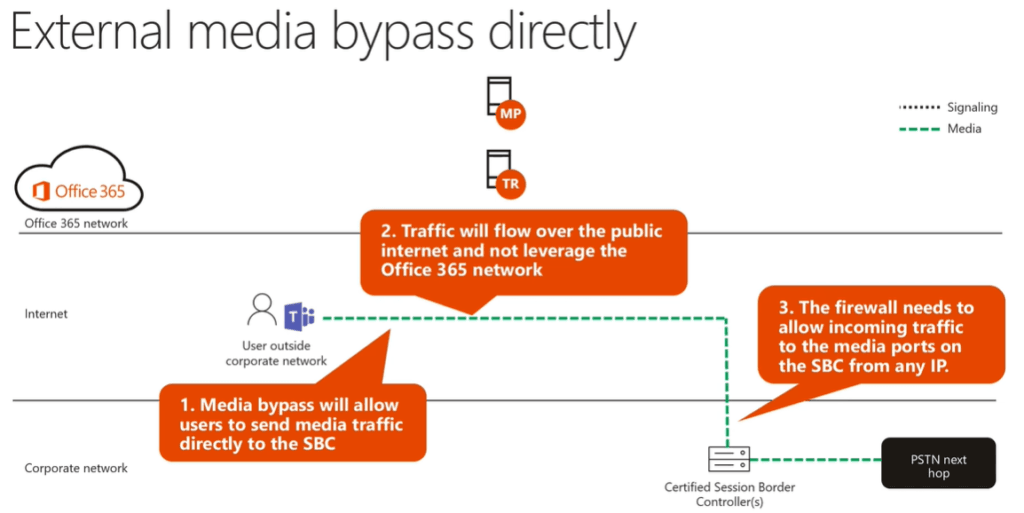
In this scenario also we do not have M365 added as a extra HOP
External Media bypass via Transport relay :
In this scenario for some reason an internet user is not able to send media directly over the internet either due to network restriction on the client side or on SBC side, an alternate route is required, in that case traffic will flow via Transport relay viz TR, Transport relays are deployed worldwide they will send media to the SBC on specific IP’s and ports.
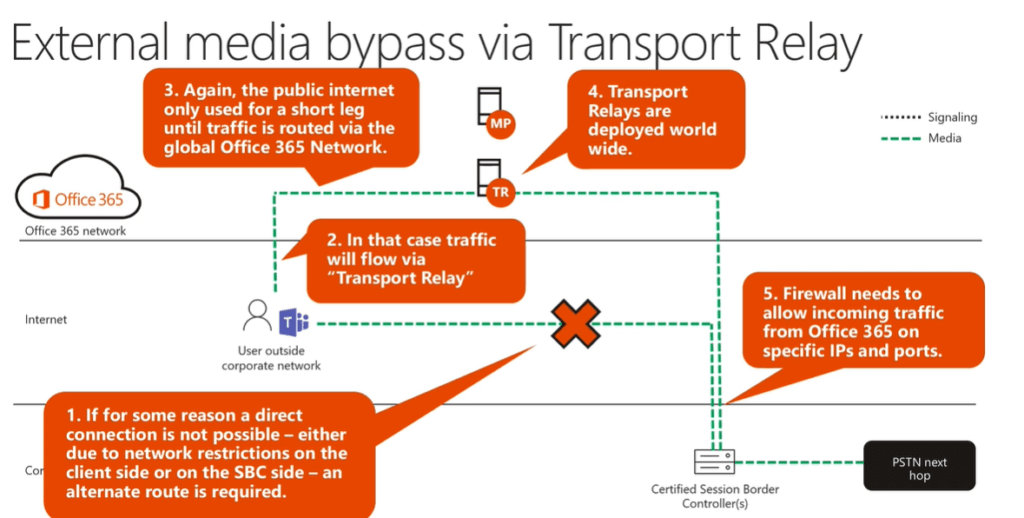
To configure media bypass, the SBC and the client must be in the same location or network.
Conclusion:
It’s all about Media bypass with Direct Routing in MS Teams, you can read this article https://learn.microsoft.com/en-us/microsoftteams/direct-routing-plan-media-bypass for detailed explanation.
secondly read this article https://microbrother.com/direct-routing-in-microsoft-teams/ to set up Media- bypass with Direct Routing in Teams admin center
Thank you 😇