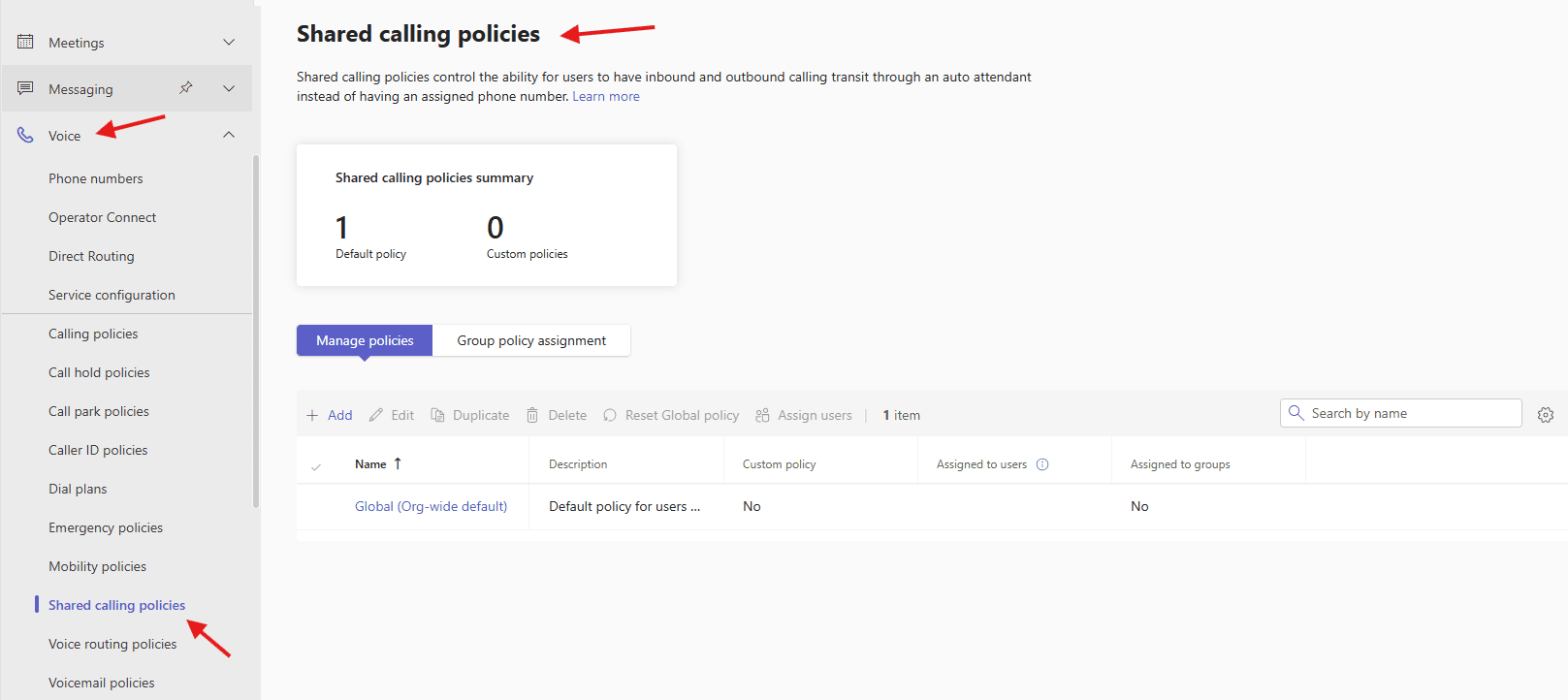
This article talks about Shared calling policies in MS Teams
Shared calling policies
Shared calling policies in MS Teams is a cost-effective feature allowing multiple users to share a single phone number and calling plan for PSTN calls, rather than assigning dedicated numbers to everyone.
It simplifies management for light users, utilizing a resource account/auto attendant for inbound/outbound calls while maintaining full Teams phone features
Lets create Shared calling policies step by step
Open Teams admin center: https://admin.teams.microsoft.com/
Navigate to TAC–> voice –>Shared calling policies
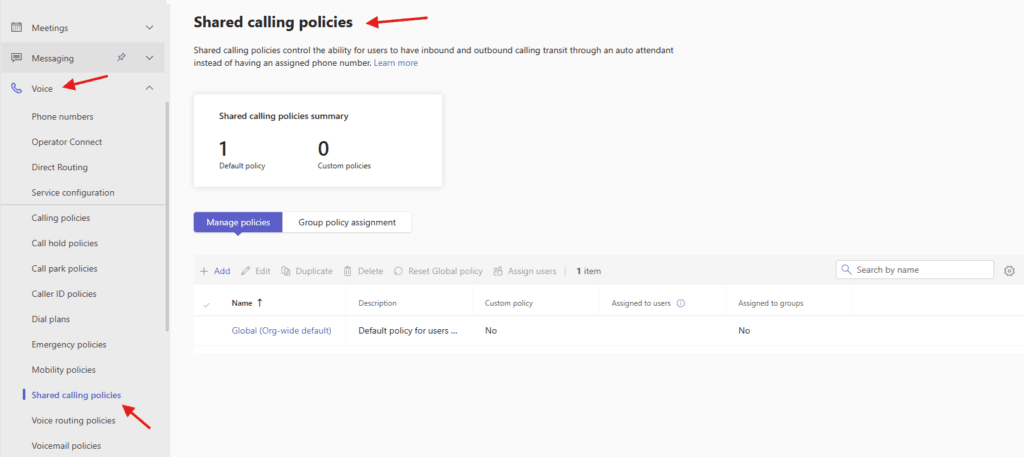
You can use the Global (Org-wide default) policy, or create one or more custom mobility policies for people in your organization
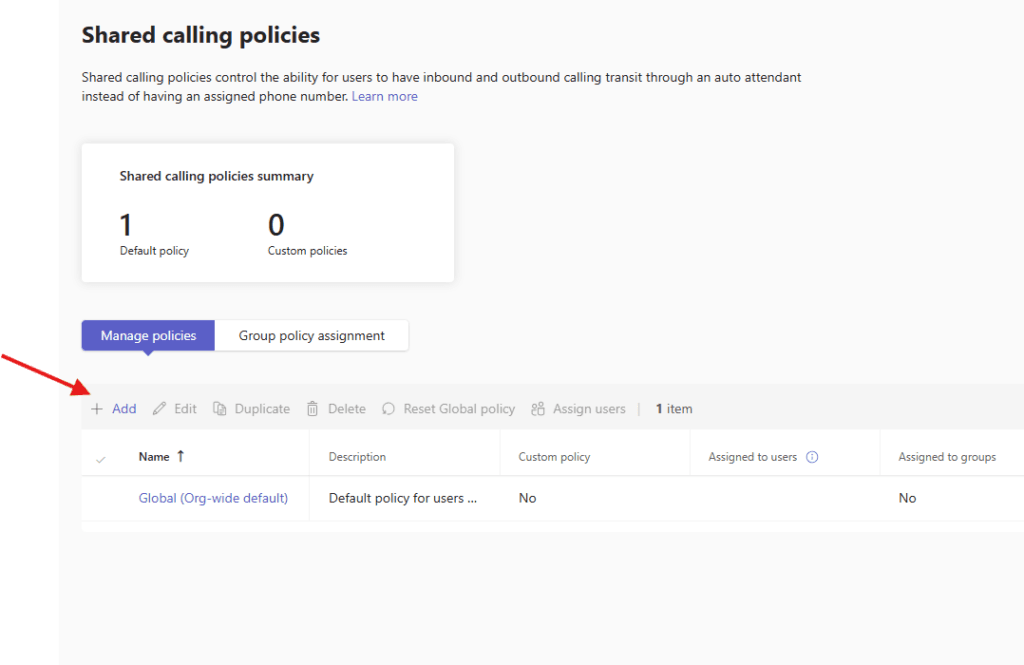
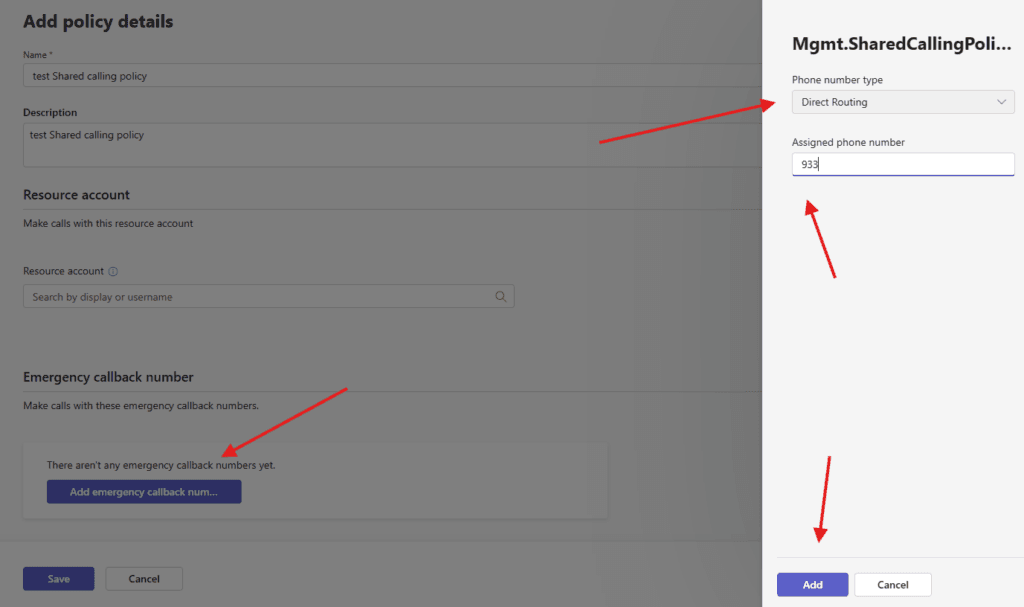
Lets add one
Give a suitable title and Select a resource account that will be used for the inbound & outbound identity of this shared calling policy
Resource accounts are non-enabled user accounts that are used to represent system resources. With Teams Phone, you can create resource accounts and then assign them to voice features such as call queues and auto attendants
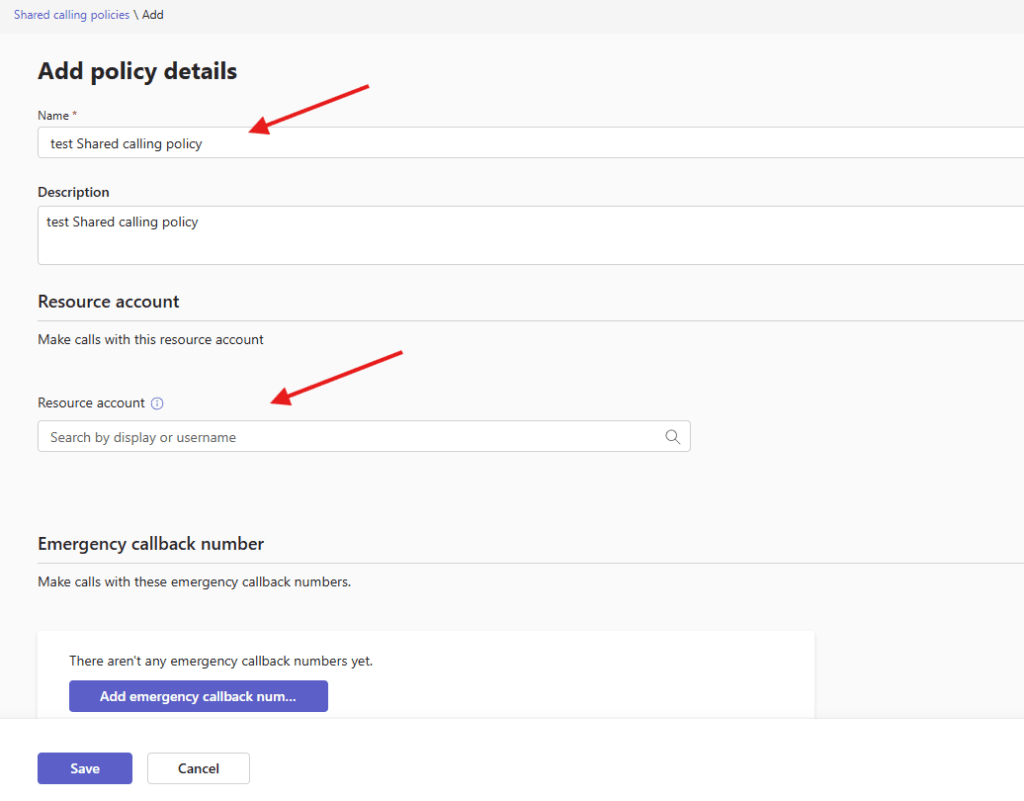
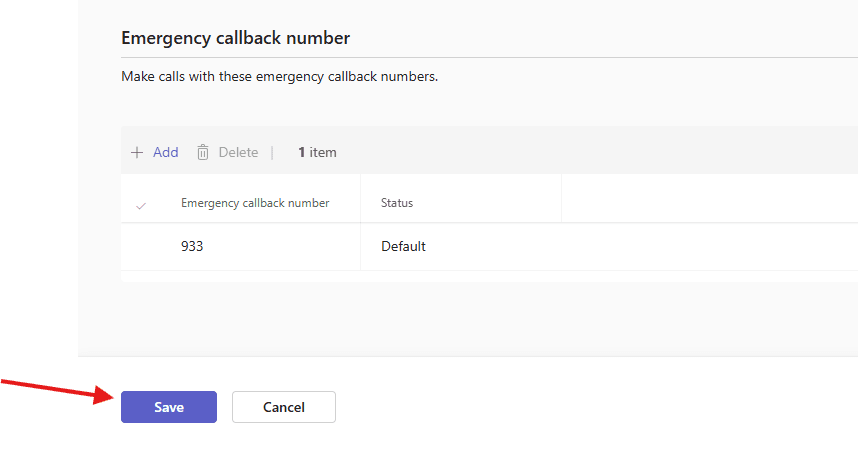
You can set Make calls with emergency callback numbers as well
finally save it
PowerShell script for above manual task
# Install module if needed
# Install-Module MicrosoftTeams -Force -AllowClobber

Import-Module MicrosoftTeams
Connect-MicrosoftTeams

# Define variables
$PolicyName = "SharedCallingPolicy"
$ResourceAccount = "sharedcalling@microbrother.com"
$Users = @(
    "user1@microbrother.com",
    "user2@microbrother.com"
)

# Step 1: Create or Update Calling Policy
$existingPolicy = Get-CsTeamsCallingPolicy -Identity $PolicyName -ErrorAction SilentlyContinue

if (-not $existingPolicy) {
    Write-Host "Creating Calling Policy for Shared Calling..."

    New-CsTeamsCallingPolicy `
        -Identity $PolicyName `
        -AllowPrivateCalling $true `
        -AllowCallForwardingToUser $true `
        -AllowCallForwardingToPhone $true `
        -AllowVoicemail $true `
        -AllowCallerIdLookup $true
}
else {
    Write-Host "Updating existing Calling Policy..."

    Set-CsTeamsCallingPolicy `
        -Identity $PolicyName `
        -AllowPrivateCalling $true `
        -AllowCallForwardingToUser $true `
        -AllowCallForwardingToPhone $true `
        -AllowVoicemail $true `
        -AllowCallerIdLookup $true
}

# Step 2: Assign Calling Policy to Users
foreach ($user in $Users) {
    Grant-CsTeamsCallingPolicy `
        -Identity $user `
        -PolicyName $PolicyName

    Write-Host "Assigned policy to $user"
}

# Step 3: Create Resource Account (if not exists)
$ra = Get-CsOnlineApplicationInstance -Identity $ResourceAccount -ErrorAction SilentlyContinue

if (-not $ra) {
    Write-Host "Creating Resource Account..."

    New-CsOnlineApplicationInstance `
        -UserPrincipalName $ResourceAccount `
        -DisplayName "Shared Calling Account" `
        -ApplicationId "ce933385-9390-45d1-9512-c8d228074e07"   # PSTN resource account
}

# Step 4: Assign Phone Number (Direct Routing example)
Set-CsPhoneNumberAssignment `
    -Identity $ResourceAccount `
    -PhoneNumber "+1234567890" `
    -PhoneNumberType DirectRouting

Write-Host "Shared Calling setup completed."
We are done here/
Conclusion:
Post reading above article reader will be able to create Shared calling policies in MS Teams
You can also read this article https://microbrother.com/mobility-policies-in-ms-teams/ to create mobility policies in ms teams
Thank you 😇