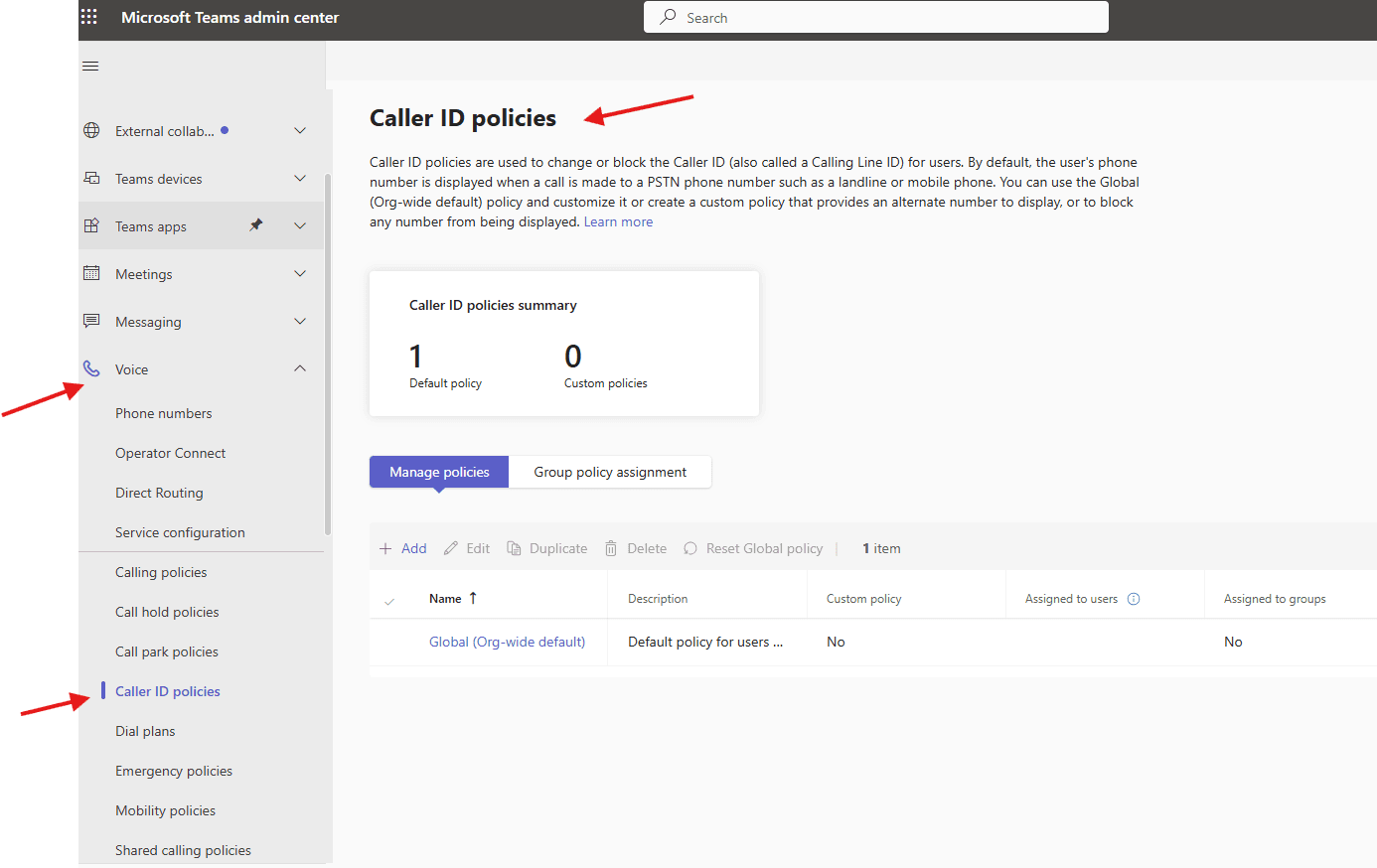
This article talks about Caller ID policies in Microsoft Teams
Caller ID policies
Caller ID policies are used to change or block the Caller ID (also called a Calling Line ID) for users. By default, the user’s phone number is displayed when a call is made to a PSTN phone number such as a landline or mobile phone
Lets set set it up step by step:
Open Teams admin center : https://admin.teams.microsoft.com/
Navigate to TAC–> voice –> caller id policies

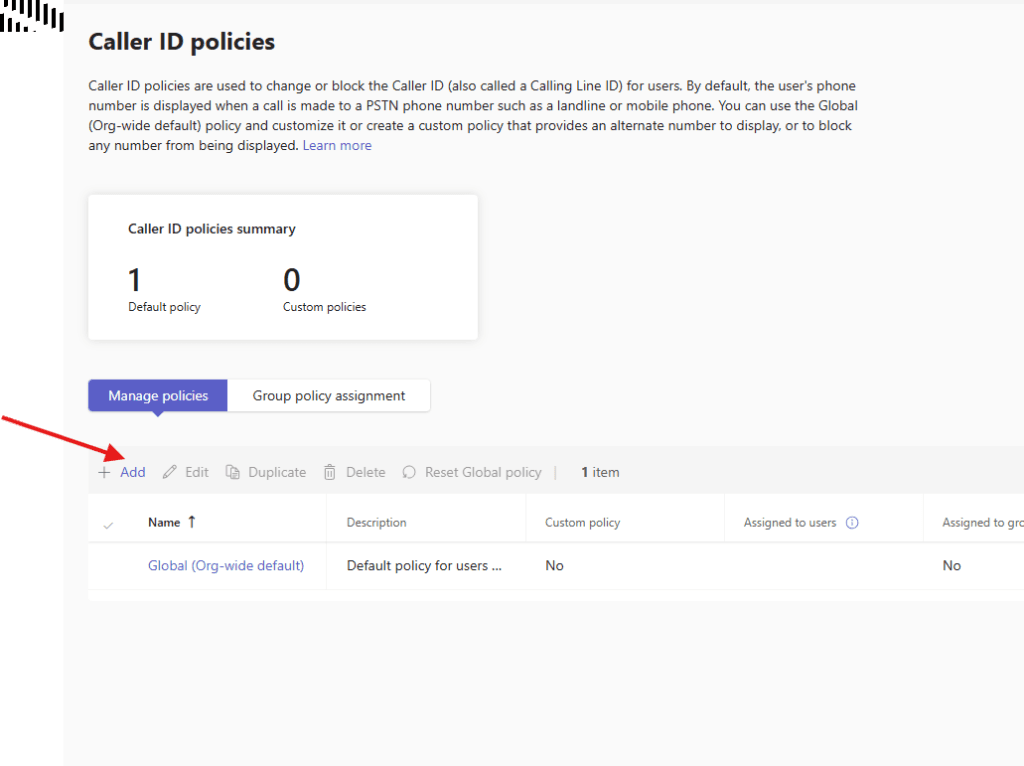
lets create one policy : You can use the Global (Org-wide default) policy and customize it or create a custom policy that provides an alternate number to display, or to block any number from being displayed
Block incoming caller ID: This setting blocks a user from receiving caller ID on any incoming PSTN calls.
Override the caller ID policy: This setting allows users to override the settings in the policy that decide whether or not they display their number to the callee. By turning on this setting, users can choose whether to display their caller ID.
Calling Party Name: This setting sends a CNAM on outbound PSTN calls.
Replace the caller ID with: By default, the policy sends the user’s telephone number for their caller ID.
This setting supports replacing a user’s caller ID with another phone number.
Anonymous – This setting blocks the outgoing calling line ID and calling party name from being sent with a user’s outgoing PSTN call and displays the caller id as coming from Anonymous.
Resource Account – This setting lets you choose a resource account’s assigned number to use as the caller ID. You can set the calling ID number to any Calling Plan, Operator Connect, or Direct Routing phone number assigned to a resource account used by an Auto attendant or a Call queue.

finally save it.
you can manage policy from here

PowerShell script for above manual task
# Define variables
$PolicyName = "Microbrother_CallerIDPolicy"
$ServiceNumber = "+912012345678"

# Create Caller ID Policy
New-CsCallingLineIdentity `
-Identity $PolicyName `
-CallingIDSubstitute Service `
-ServiceNumber $ServiceNumber `
-EnableUserOverride $false
Conclusion:
Post reading above article reader will be able to create and manage caller ID policies in Microsoft Teams
You can also read https://microbrother.com/call-park-policies-in-microsoft-teams/ this article to create and manage call park policies in MS Teams
Thank you 😇