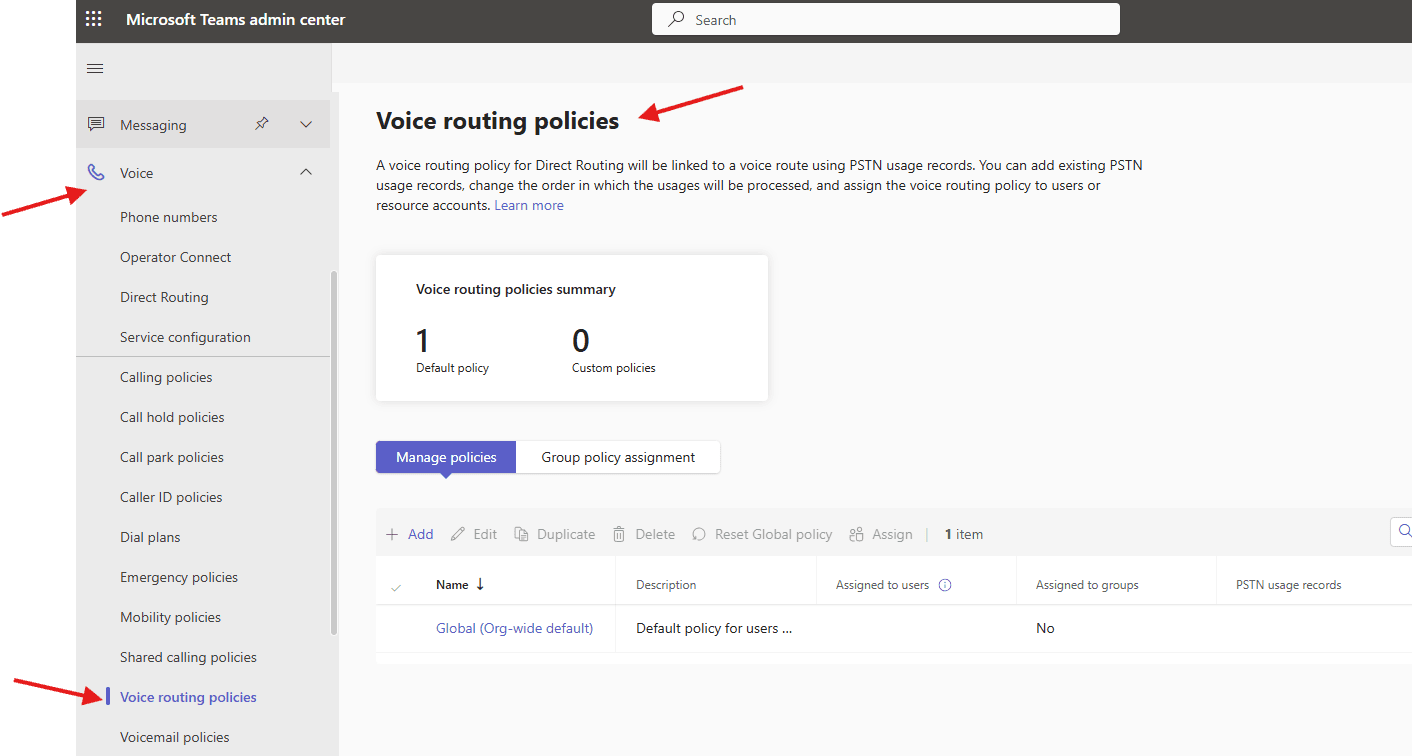
This article talks about Voice routing policies in Microsoft Teams
Voice routing policies
Voice routing policies in Microsoft Teams act as containerized permissions that determine which PSTN (Public Switched Telephone Network) usage records apply to a user, regulating how they make and receive external phone calls via Direct Routing.
These policies allow administrators to define which Session Border Controllers (SBCs) or voice routes, such as local, national, or international, are accessible to specific users
Lets create Voice routing policies step by step
Open Teams admin center –> https://admin.teams.microsoft.com/
Navigate to TAC–> Voice –> Voice routing policies
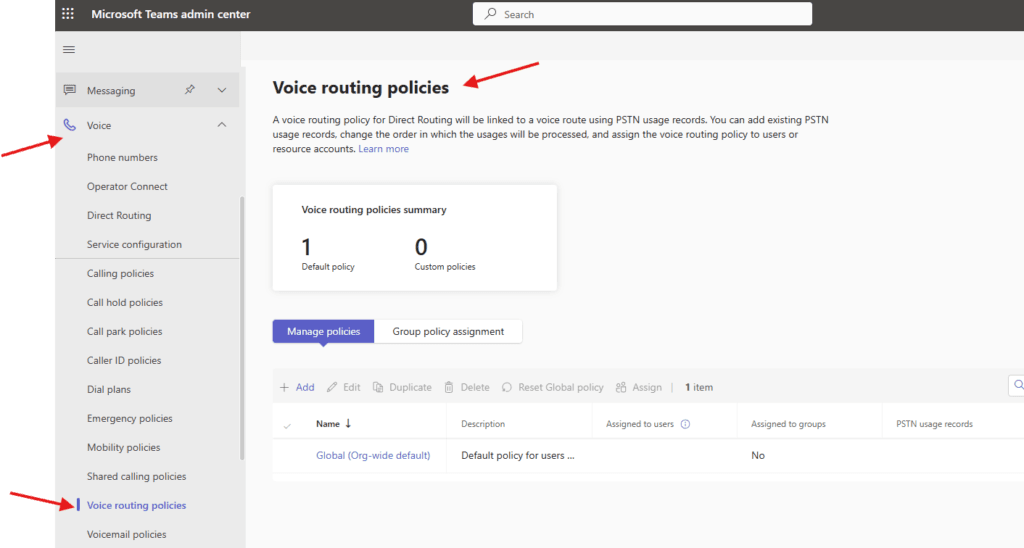
You can use the Global (Org-wide default) policy, or create one or more custom mobility policies for people in your organization
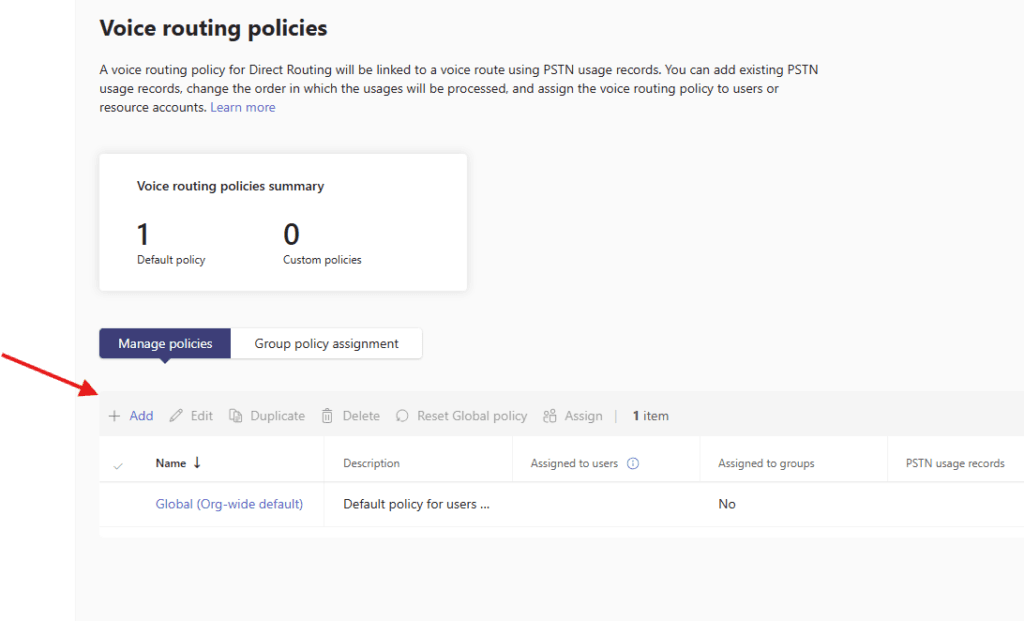
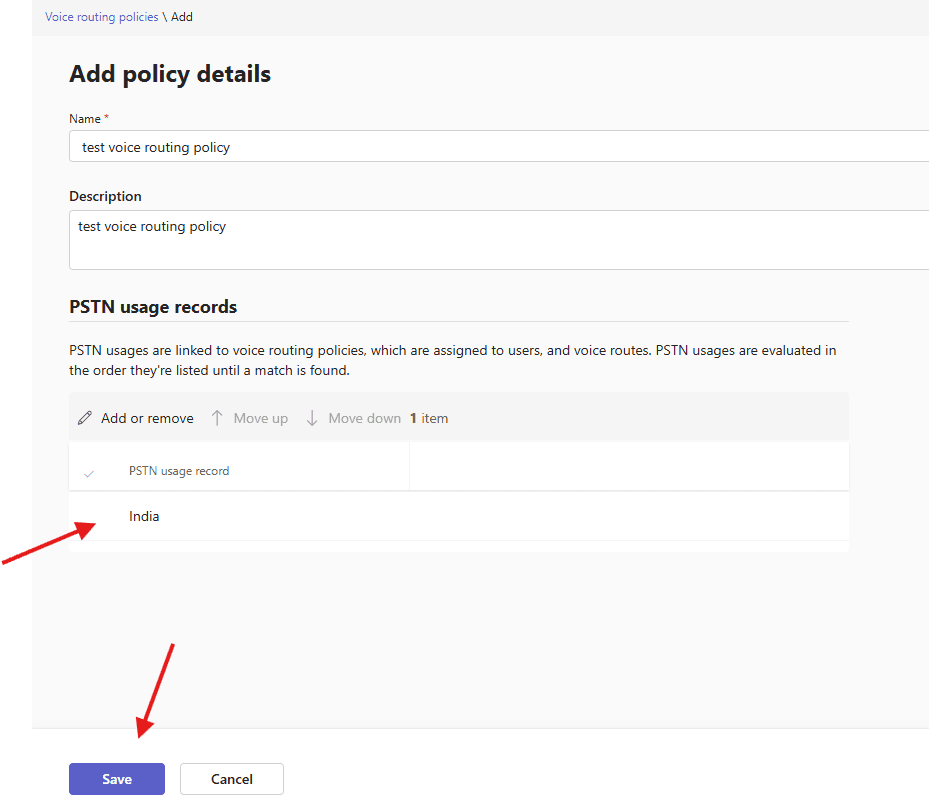
Lets add one test policy
give a suitable title
add PSTN usages to voice routing policies, which are assigned to users, and voice routes. PSTN usages are evaluated in the order they’re listed until a match is found.
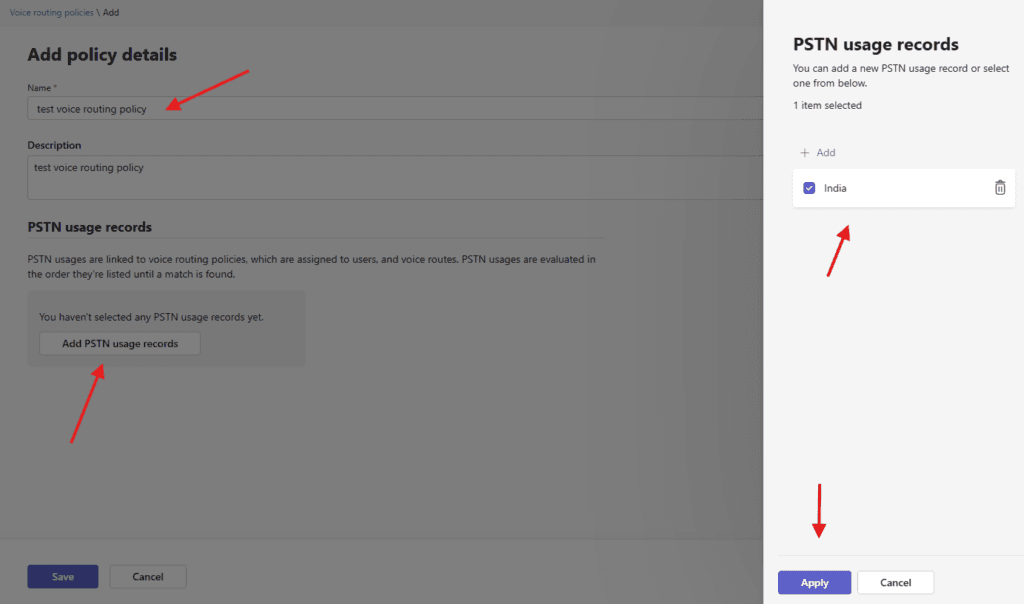
finally save it
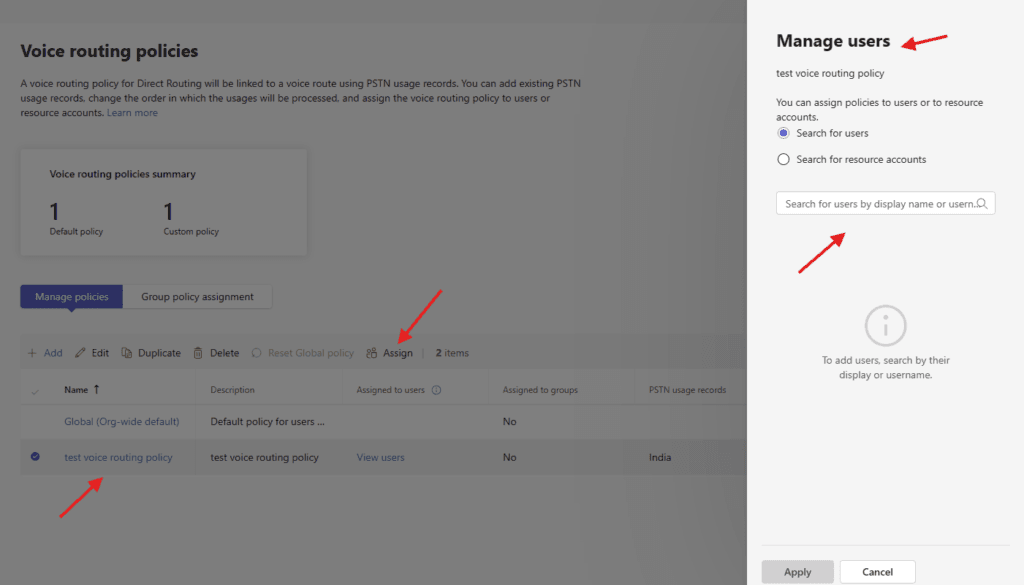
finally assign it to the set of users
PowerShell script for above manual task
# Install module if needed
# Install-Module MicrosoftTeams -Force -AllowClobber

Import-Module MicrosoftTeams
Connect-MicrosoftTeams

# ================================
# VARIABLES
# ================================
$PstnUsageName = "India-Local"
$VoiceRouteName = "India-Route"
$VoiceRoutingPolicyName = "India-VoiceRoutingPolicy"
$SBC = "sbc.yourdomain.com"
$Users = @(
    "user1@microbrother.com",
    "user2@microbrother.com"
)

# ================================
# STEP 1: Create PSTN Usage
# ================================
Write-Host "Creating PSTN Usage..."

Set-CsOnlinePstnUsage `
    -Identity Global `
    -Usage @{Add=$PstnUsageName}

# ================================
# STEP 2: Create Voice Route
# ================================
Write-Host "Creating Voice Route..."

New-CsOnlineVoiceRoute `
    -Identity $VoiceRouteName `
    -NumberPattern "^\+91\d{10}$" `
    -OnlinePstnGatewayList $SBC `
    -Priority 1 `
    -OnlinePstnUsages $PstnUsageName

# ================================
# STEP 3: Create Voice Routing Policy
# ================================
Write-Host "Creating Voice Routing Policy..."

New-CsOnlineVoiceRoutingPolicy `
    -Identity $VoiceRoutingPolicyName `
    -OnlinePstnUsages $PstnUsageName

# ================================
# STEP 4: Assign Policy to Users
# ================================
Write-Host "Assigning policy to users..."

foreach ($user in $Users) {
    Grant-CsOnlineVoiceRoutingPolicy `
        -Identity $user `
        -PolicyName $VoiceRoutingPolicyName

    Write-Host "Assigned to $user"
}

Write-Host "Voice Routing Policy setup completed successfully!"
We are done here
Conclusion:
Post reading above article user will be able to create Voice routing policies in Microsoft Teams
Also you can read https://microbrother.com/shared-calling-policies-in-ms-teams/ this article to create shared calling policies
Thank you 😇