This article talks about Voicemail policies in Microsoft Teams
Voicemail policies
Voicemail policies enable administrators to configure and assign settings for voicemail, transcription, and call routing via the Teams admin center or PowerShell.
Key policies manage transcription translation, profanity masking, language settings, and call-answering rules, with default settings (e.g., 5-minute limit) and user-level customization allowed
Lets create Voicemail policies step by step
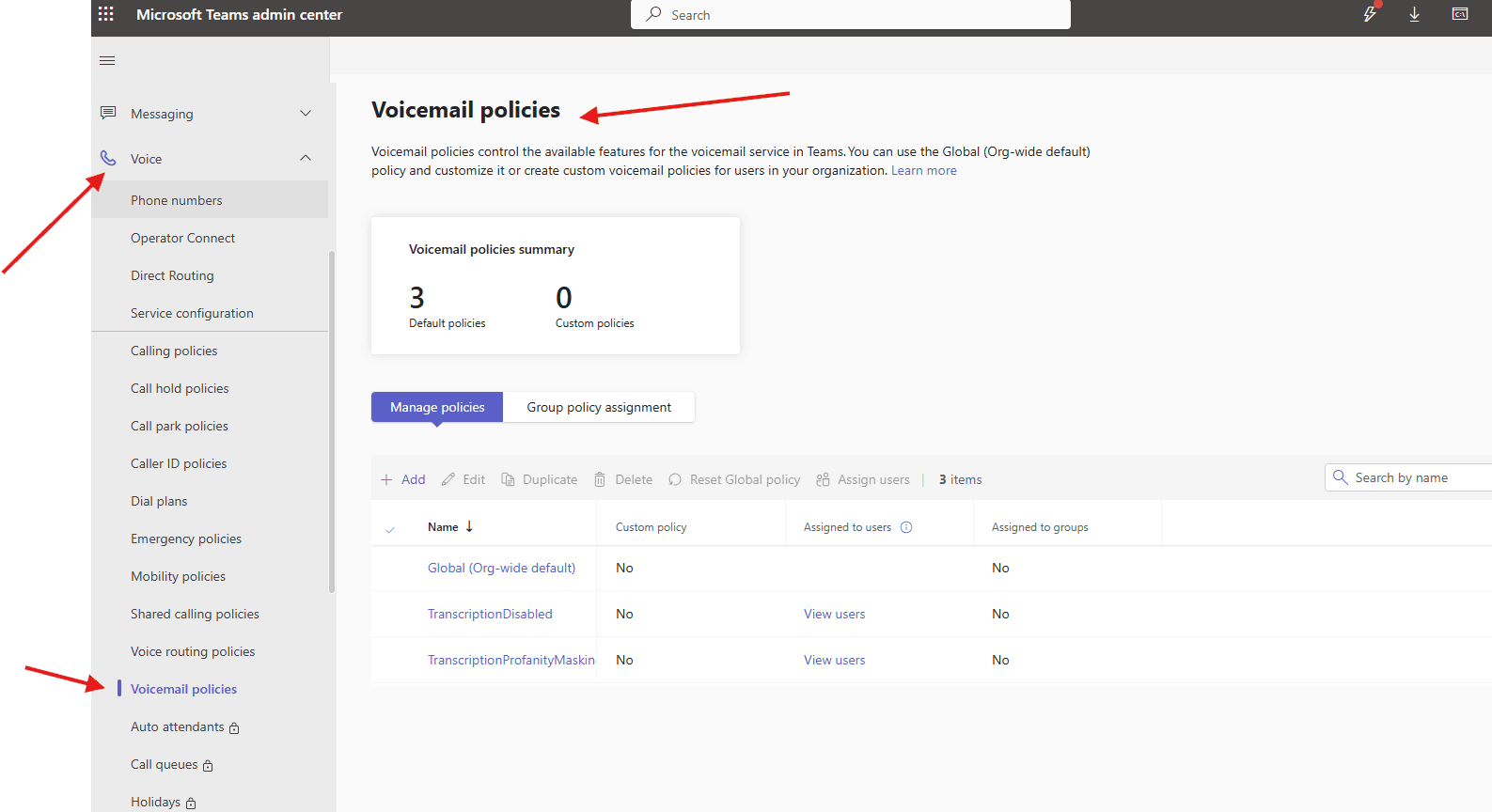
Open Teams admin center : https://admin.teams.microsoft.com/
Navigate to TAC–> voice –>Voicemail policies
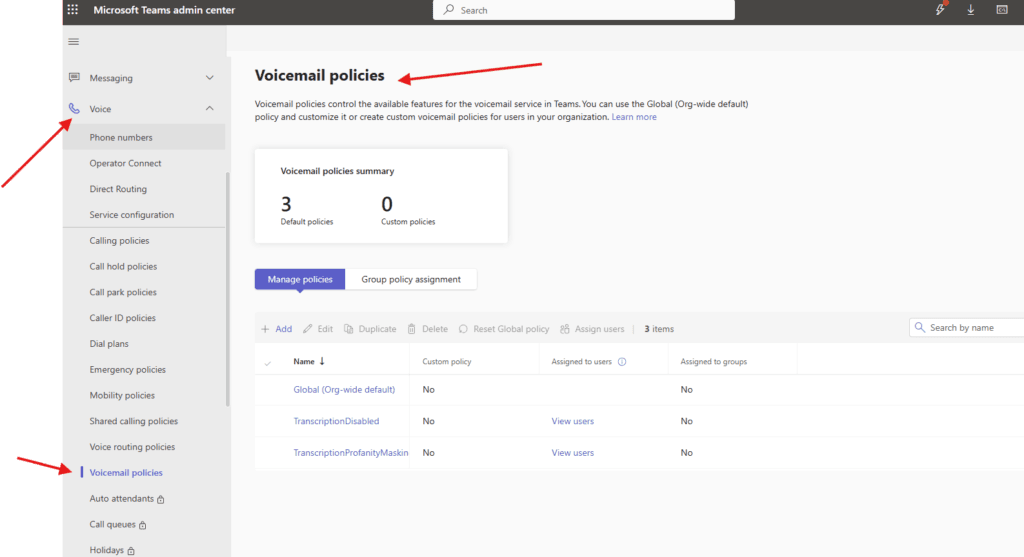
You can use the Global (Org-wide default) policy, or create one or more custom mobility policies for people in your organization
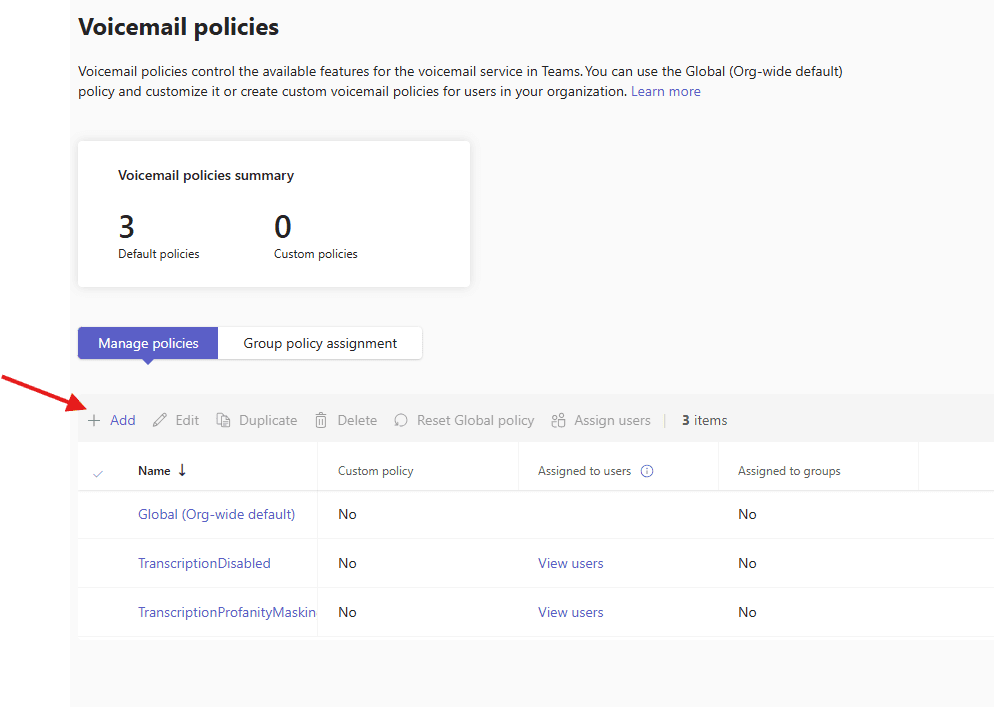
Lets add one policy
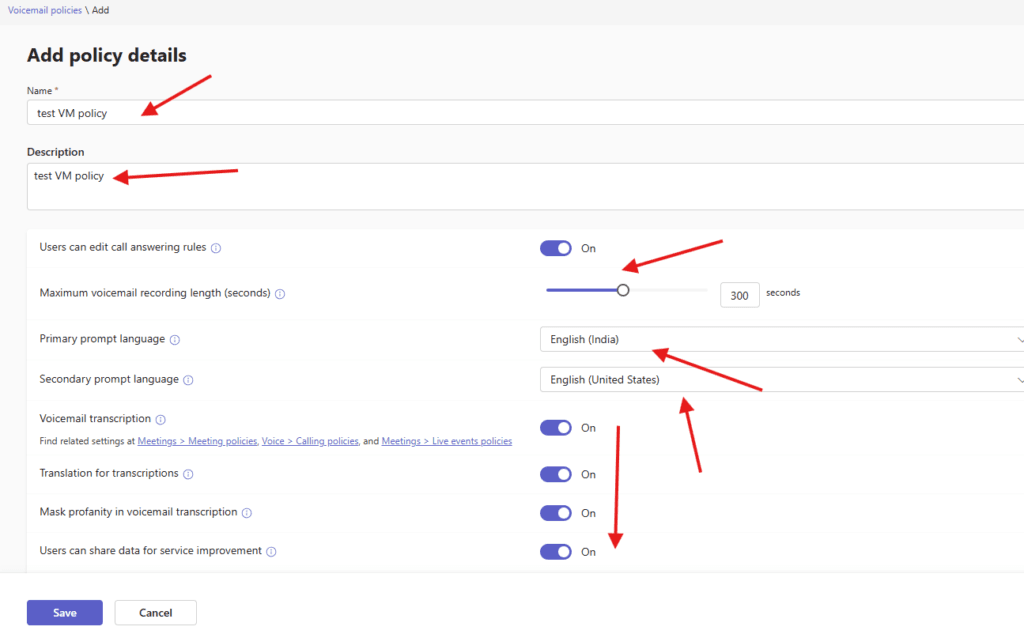
Give a suitable title and set following attributes as per the business requirement :
Users can edit call answering rules, Maximum voicemail recording length (seconds),
Primary and secondary prompt language: The first and second language used to play system prompts to callers and the first option on the language selection menu,
Voicemail transcription: When this is on, voicemail transcriptions are recorded,
Mask profanity in voicemail transcription: If you turn this on, profanity will be masked in voicemail transcriptions.
Translation for transcriptions: When this is on, voicemail transcriptions are translated.
Users can share data for service improvement: If you turn this on, users can share voicemail and transcription data for training and improving accuracy. If you turn this off, voicemail data won’t be shared.
Play preamble and postamble audio file before voicemail greeting: Accepted file formats are MP3, WAV, and WMA. Files must be less than 5 MB.
finally save it
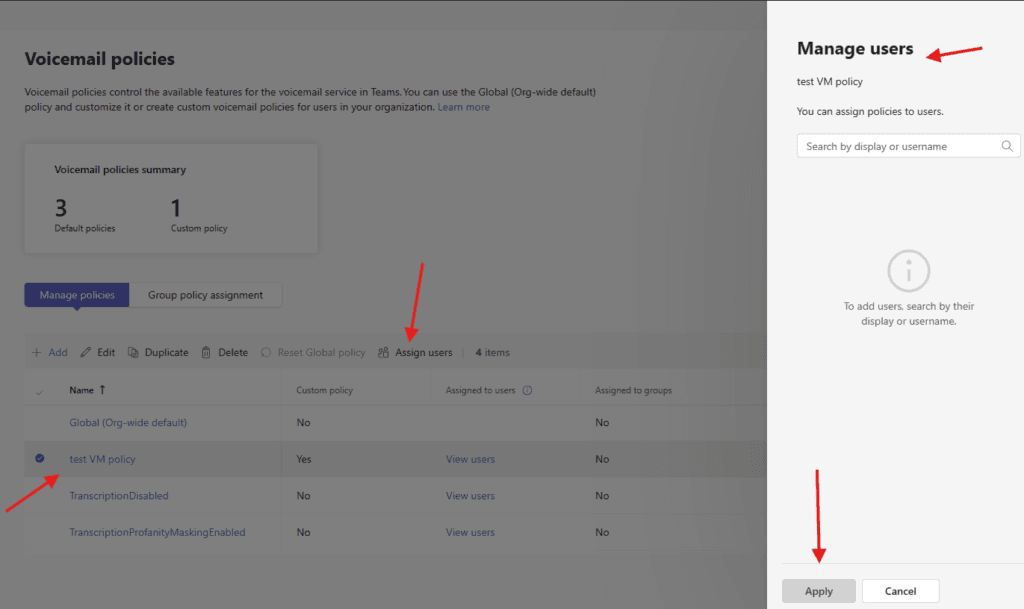
you can assign created policy from here
PowerShell script for above manual task
# Install module if needed
# Install-Module MicrosoftTeams -Force -AllowClobber

Import-Module MicrosoftTeams
Connect-MicrosoftTeams

# ================================
# VARIABLES
# ================================
$PolicyName = "Custom-VoicemailPolicy"
$Users = @(
    "user1@microbrother.com",
    "user2@microbrother.com"
)

# ================================
# STEP 1: Create or Update Policy
# ================================
$existingPolicy = Get-CsOnlineVoicemailPolicy -Identity $PolicyName -ErrorAction SilentlyContinue

if (-not $existingPolicy) {
    Write-Host "Creating Voicemail Policy..."

    New-CsOnlineVoicemailPolicy `
        -Identity $PolicyName `
        -EnableTranscription $true `
        -EnableEmailNotification $true `
        -EnableEmailAttachment $true `
        -MaskPiiInTranscription $true `
        -EnableSharedVoicemailSystemPromptSuppression $false
}
else {
    Write-Host "Updating existing Voicemail Policy..."

    Set-CsOnlineVoicemailPolicy `
        -Identity $PolicyName `
        -EnableTranscription $true `
        -EnableEmailNotification $true `
        -EnableEmailAttachment $true `
        -MaskPiiInTranscription $true `
        -EnableSharedVoicemailSystemPromptSuppression $false
}

# ================================
# STEP 2: Assign Policy to Users
# ================================
foreach ($user in $Users) {
    Grant-CsOnlineVoicemailPolicy `
        -Identity $user `
        -PolicyName $PolicyName

    Write-Host "Assigned Voicemail Policy to $user"
}

Write-Host "Voicemail Policy configuration completed successfully!"
we are done here
Conclusion:
Post reading above article user will be able to create and manage Voicemail policies in Microsoft Teams
Also you can read https://microbrother.com/voice-routing-policies-in-microsoft-teams/ this article to create voice routing policies in Microsoft Teams
Thanks you 😇