This article talks about on how to add Custom attributes for a Mailbox
Custom attributes
Exchange Online provides 15 built-in custom attributes (CustomAttribute1 through CustomAttribute15) that allow you to store additional recipient information without extending the Active Directory schema. You can manage these attributes using either the Exchange admin center or PowerShell
Step by step procedure to add Custom attributes for a Mailbox
Open EXO admin center : https://admin.cloud.microsoft/exchange?#/
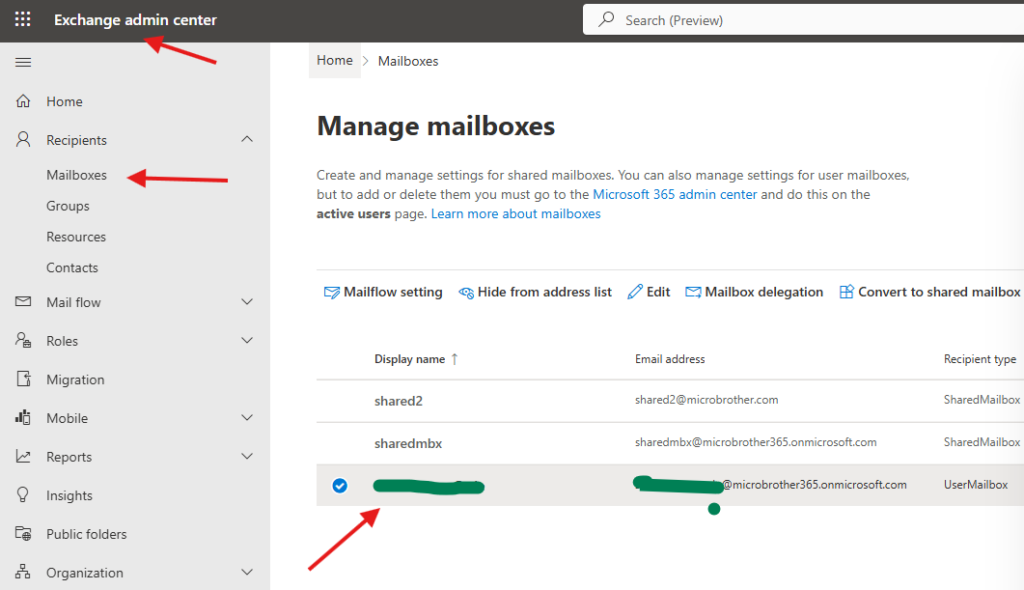
Navigate to EXO–> Recipients –> Mailboxes –> click on the mailbox
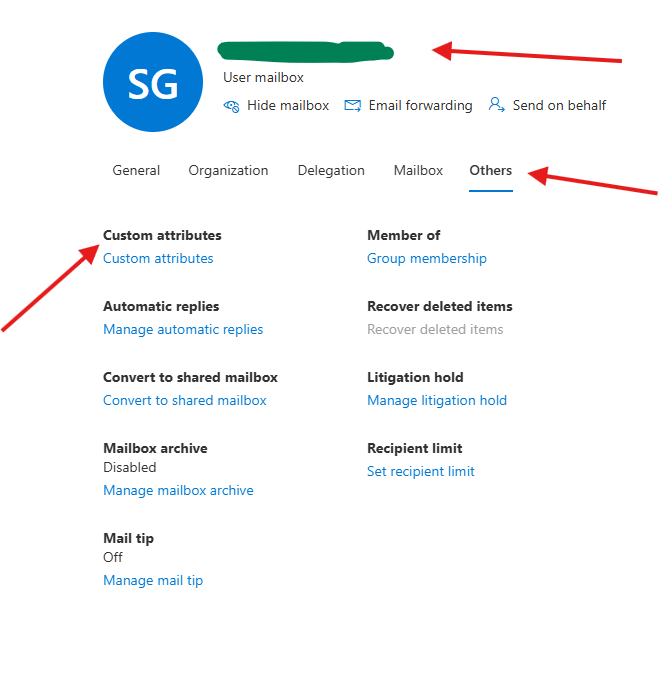
click on others tab –> custom-attributes
Manage custom-attributes : Custom-attributes are extension attributes that you can use to add information about a recipient for which there isn’t an existing attribute. You can add a maximum of 15 custom-attributes to a mail user
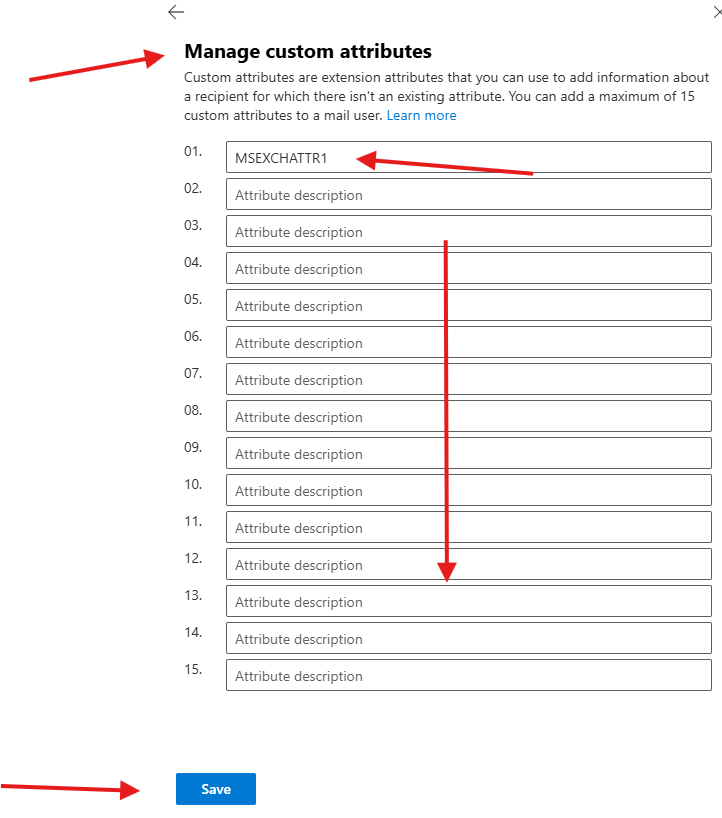
save it
PowerShell script for above manual task
# Connect to Exchange Online
Connect-ExchangeOnline

# Import CSV
$Users = Import-Csv "C:\Scripts\MailboxAttributes.csv"

foreach ($User in $Users) {

    Write-Host "Updating mailbox:" $User.UserPrincipalName

    Set-Mailbox -Identity $User.UserPrincipalName `
        -CustomAttribute1 $User.CustomAttribute1 `
        -CustomAttribute2 $User.CustomAttribute2 `
        -CustomAttribute3 $User.CustomAttribute3

    Write-Host "Completed:" $User.UserPrincipalName
}

Write-Host "All mailboxes updated successfully."
We are done here
Conclusion:
Post reading above article reader will be able to add Custom-attributes for a Mailbox
Also you can read https://microbrother.com/2026/05/31/how-to-manage-mail-tip-on-a-mailbox/ this article to Manage Mail tip on a mailbox
Thank you 😇